forked from: Chapter 20 Example 4
forked from Chapter 20 Example 4 (diff: 4)
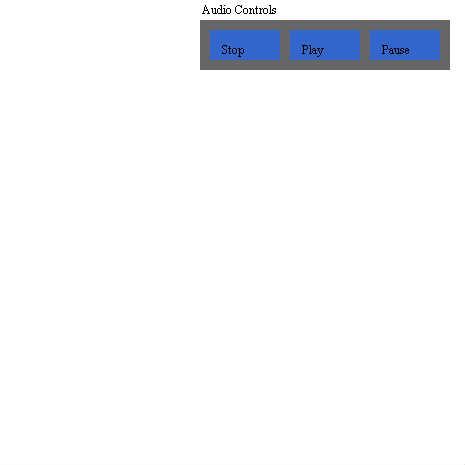

ActionScript3 source code
/**
 * Copyright devtrain23 ( http://wonderfl.net/user/devtrain23 )
 * MIT License ( http://www.opensource.org/licenses/mit-license.php )
 * Downloaded from: http://wonderfl.net/c/yeUc
 */

// forked from actionscriptbible's Chapter 20 Example 4
package {
  import com.actionscriptbible.Example;
  import flash.display.*;
  import flash.events.MouseEvent;
  import flash.text.TextField;

  public class ch20ex4 extends Example {
    public function ch20ex4() {
      var uiContainer:Sprite = new Sprite();
      uiContainer.mouseEnabled = false;
      uiContainer.x = 200;
      uiContainer.name = "uiContainer";
      addChild(uiContainer);

      // create the button container and add it to the UI container.
      var buttonContainer:Sprite = new Sprite();
      buttonContainer.graphics.beginFill(0x666666);
      buttonContainer.graphics.drawRect(0, 0, 250, 50);
      buttonContainer.mouseEnabled = false;
      buttonContainer.name = "buttonContainer";
      buttonContainer.y = 20;
      uiContainer.addChild(buttonContainer);

      // create the UI label and add it to the UI container.
      var uiLabel:TextField = new TextField();
      uiLabel.name = "uiLabel";
      uiLabel.text = "Audio Controls";
      uiLabel.mouseEnabled = false;
      uiLabel.selectable = false;
      uiLabel.width = 80;
      uiLabel.height = 20;
      uiContainer.addChild(uiLabel);

      // create three buttons and add them to the button container.
      var stopButton:Button = new Button("Stop");
      stopButton.x = 10;
      stopButton.y = 10;
      buttonContainer.addChild(stopButton);

      var playButton:Button = new Button("Play");
      playButton.x = 90;
      playButton.y = 10;
      buttonContainer.addChild(playButton);

      var pauseButton:Button = new Button("Pause");
      pauseButton.x = 170;
      pauseButton.y = 10;
      buttonContainer.addChild(pauseButton);

      uiContainer.addEventListener(MouseEvent.CLICK, onClick);
    }

    private function onClick(event:MouseEvent):void {
      trace("\nClick received.");
      trace("Event Target:", DisplayObject(event.target).name);
      trace("Current Target:", DisplayObject(event.currentTarget).name);
    }
  }
}
import flash.display.Sprite;
import flash.text.TextField;

class Button extends Sprite {
  private var labelField:TextField;
  public function Button (label:String = "button") {
    // draw the background for the button.
    graphics.beginFill(0x3366CC);
    graphics.drawRect(0, 0, 70, 30);
    // store the label as the button’s name.
    name = label;
    // create a TextField to display the button label.
    labelField = new TextField();
    // ensure clicks are sent from labelField rather than the button.
    labelField.mouseEnabled = false;
    labelField.selectable = false;
    labelField.text = label;
    labelField.x = 10;
    labelField.y = 10;
    labelField.width = 80;
    labelField.height = 20;
    addChild(labelField);
  }
}