Progression URLObject
♥0 |
Line 35 |
Modified 2009-07-13 16:58:01 |
MIT License
archived:2017-03-10 18:15:39
ActionScript3 source code
/**
 * Copyright yaimo ( http://wonderfl.net/user/yaimo )
 * MIT License ( http://www.opensource.org/licenses/mit-license.php )
 * Downloaded from: http://wonderfl.net/c/xA5s
 */

package {
    import flash.display.Sprite;
    import jp.nium.net.*;
    import flash.text.*;
    import jp.nium.external.*;


    public class FlashTest extends Sprite {
        private var textList:Array =[];

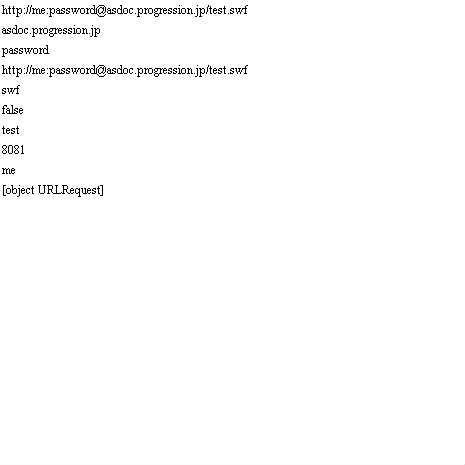
        public function FlashTest() {

            var url:URLObject = new URLObject("http://asdoc.progression.jp/test.swf");
            var url2:URLObject = new URLObject("http://localhost:8081/yaimo");

            url.password = "password";
            url.user = "me";
            textinit();

            textList[0].text = url.toString();
            textList[1].text = url.host;
            textList[2].text = url.password;
            textList[3].text = url.url;
            textList[4].text = url.fileExtension;
            textList[5].text = ""+URLObject.validate("URLOBjectととはなんぞや");
            textList[6].text = url.fileName;
            textList[7].text = url2.port;
            textList[8].text = url.user;

            //URLRequestでかえってくるのでとりあえずURLはURLObjectに入れとけば管理しやすいとか?
            textList[9].text = url.toURLRequest();

            //Flash Player のコンテナを含むアプリケーション(通常はブラウザ)でウィンドウを開くか、置き換えます。
            //コメントをはずすと指定URLに飛びます。
            //user設定してあるとuserでログインしたりもできる。
            //url.navigateTo("_blank");

            //あとはデータベースと連動するときに役に立ちそうな予感(AIRとか)
            //指定URLに飛んだりするのが便利だった!!

        }
        public function textinit():void{
            for(var i:int = 0; i<10;i++){
                var text:TextField = new TextField();
                text.width = 300;
                text.y = i*20;
                addChild(text);
                textList.push(text);
                }
            }
    }
}