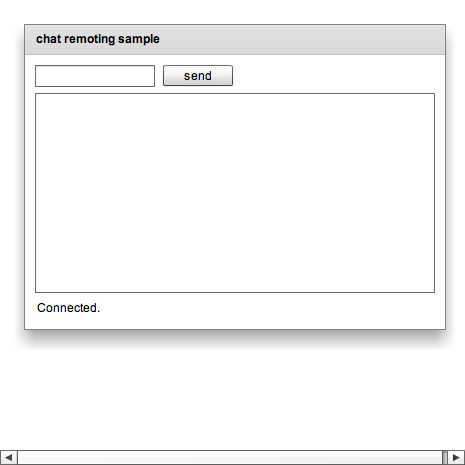
kamaitachi chat example
♥1 |
Line 46 |
Modified 2010-10-16 03:29:42 |
MIT License
archived:2017-03-10 03:11:08
ActionScript3 source code
/**
 * Copyright typester ( http://wonderfl.net/user/typester )
 * MIT License ( http://www.opensource.org/licenses/mit-license.php )
 * Downloaded from: http://wonderfl.net/c/vhCd
 */

<?xml version="1.0"?>
<mx:Application xmlns:mx="http://www.adobe.com/2006/mxml" creationComplete="init()">
    <mx:Script><![CDATA[
import flash.net.*;
import flash.events.*;

private var nc:NetConnection;

private function init():void {
    nc = new NetConnection();
    nc.addEventListener(NetStatusEvent.NET_STATUS, status_handler);
    nc.objectEncoding = ObjectEncoding.AMF0;
    nc.client = this;
    nc.connect("rtmp://127.0.0.1/rpc/chat");
}

private function status_handler(event:NetStatusEvent):void {
    switch (event.info.code) {
    case "NetConnection.Connect.Success":
        setStatus("Connected.");
        break;
    default:
        setStatus(event.info.code);
    }
}

private function setStatus(text:String):void {
    status.text = text;
}

private function send():void {
    if (!input.text) return;
    if (input.length >= 200) return; // ignore long input ;)

    nc.call("send", new Responder(function ():void {}), input.text);
    onMessage(input.text);

    input.text = "";
}

public function onMessage(message:String):void {
    result.text = message + "\n" + result.text;
}
    ]]>
    </mx:Script>
    <mx:Panel title="chat remoting sample" paddingTop="10" paddingBottom="10" paddingLeft="10" paddingRight="10">
        <mx:HBox>
            <mx:TextInput id="input" width="120"/>
            <mx:Button label="send" click="send()"/>
        </mx:HBox>
        <mx:TextArea id="result" width="400" height="200" text=""/>
        <mx:Label id="status" text="Connecting..."/>
    </mx:Panel>
</mx:Application>