Chapter 17 Example 10
♥0 |
Line 37 |
Modified 2009-06-29 11:50:47 |
MIT License
archived:2017-03-09 19:58:53
ActionScript3 source code
/**
 * Copyright actionscriptbible ( http://wonderfl.net/user/actionscriptbible )
 * MIT License ( http://www.opensource.org/licenses/mit-license.php )
 * Downloaded from: http://wonderfl.net/c/tlQb
 */

package {
  import flash.display.Sprite;
  import flash.events.TextEvent;
  import flash.text.*;

  public class ch17ex10 extends Sprite {
    protected var tf:TextField;
    public function ch17ex10() {
      tf = new TextField();
      tf.selectable = false;
      tf.defaultTextFormat = new TextFormat("_sans", 14);
      tf.multiline = tf.wordWrap = true;
      tf.width = 200;
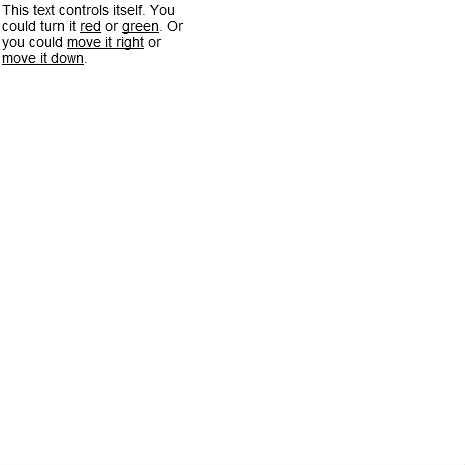
      tf.htmlText = "This text controls itself. You could turn it" +
' <a href="event:color,0xff0000"><u>red</u></a> or' +
' <a href="event:color,0x00ff00"><u>green</u></a>. Or you could' +
' <a href="event:move,20,0"><u>move it right</u></a> or' +
' <a href="event:move,0,20"><u>move it down</u></a>.';
      tf.addEventListener(TextEvent.LINK, onLink);
      addChild(tf);
    }

    protected function onLink(event:TextEvent):void {
      var args:Array = event.text.split(",");
      if (args.length < 1) return;
      switch (args.shift()) {
        case "color": colorText.apply(this, args); break;
        case "move": moveText.apply(this, args); break;
      }
    }

    protected function colorText(colorStr:String):void {
      tf.setTextFormat(new TextFormat(null, null, parseInt(colorStr, 16)));
    }

    protected function moveText(xStr:String, yStr:String):void {
      tf.x += parseFloat(xStr);
      tf.y += parseFloat(yStr);
    }
  }
}