forked from: forked from: forked from: forked from: flash on 2010-11-19
forked from forked from: forked from: forked from: flash on 2010-11-19 (diff: 410)
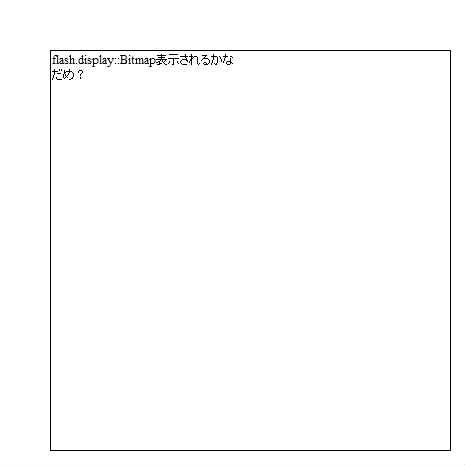
複数ロードした画像をまとめてBitmap化したあと、matrixで加工したいのに出来ないです・・。
wonderfl.net/img/top/img_study.gif"
init
loadImage(IMAGE_URL[0], "abb", function(event:Event, name:String, bmp:Array):void {
text.text = "表示されるかな";
bmp[1].viaible = false;
addChild(bmp[1]);
images = new Array(IMAGE_URL.length);
for( var i:int=0; i

ActionScript3 source code
/**
* Copyright riafeed ( http://wonderfl.net/user/riafeed )
* MIT License ( http://www.opensource.org/licenses/mit-license.php )
* Downloaded from: http://wonderfl.net/c/rPEa
*/
// forked from riafeed's forked from: forked from: forked from: flash on 2010-11-19
// forked from aruerula's forked from: forked from: flash on 2010-11-19
// forked from 9re's forked from: flash on 2010-11-19
// forked from aruerula's flash on 2010-11-19
package {
import flash.geom.Point;
import flash.display.MovieClip;
import flash.text.TextField;
import flash.net.navigateToURL;
import flash.system.LoaderContext;
//複数ロードした画像をまとめてBitmap化したあと、matrixで加工したいのに出来ないです・・。
import flash.display.Bitmap;
import flash.display.BitmapData;
import flash.geom.Matrix;
import flash.net.URLRequest;
import flash.events.*;
import flash.display.Loader;
import flash.display.Sprite;
import flash.system.Security;
import mx.controls.Alert;
import mx.utils.ObjectUtil;
public class Main extends MovieClip {
private var count:int = 0;
private var images:Array;
private var loaders:Array = [];
private const WIDTH:int = 200;
private const HEIGHT:int = 300;
private const IMAGE_URL:Array = [
"http://wonderfl.net/img/top/img_study.gif"
];
public function loadImages(url:Array, prefix:String, success:Function, error:Function = null):void {
var imgs:Array = new Array(url.length);
var ends:Array = new Array(url.length);
var endcheck:Function = function():Boolean {
for(var j:int = 0; j < url.length; j++) {
if(!ends[j]) return false;
}
return true;
};
for(var k:int = 0; k < url.length; k++) {
ends[k] = false;
}
for(var i:int = 0; i < url.length; i++) {
loadImage(url[i], i.toString(), function(event:Event, name:String, bmp:Bitmap):void {
var pos:int = parseInt(name);
bmp.name = prefix + name;
imgs[pos] = bmp;
ends[pos] = true;
if(endcheck()) success(imgs);
},
function(event:Event, name:String):void {
var pos:int = parseInt(name);
imgs[pos] = null;
ends[pos] = true;
if(error != null) error(event);
if(endcheck()) success(imgs);
});
}
}
public function loadImage(url:String, name:String, success:Function, error:Function = null):void {
var loader:Loader = new Loader();
loader.contentLoaderInfo.addEventListener(Event.COMPLETE,//init
function(event:Event):void {
var loaderB:Loader = new Loader();
loaderB.contentLoaderInfo.addEventListener(Event.COMPLETE, function(event:Event):void {
var bmd:BitmapData = new BitmapData(event.currentTarget.loader.width,event.currentTarget.loader.height);
bmd.draw(event.currentTarget.loader);
var bmp:Bitmap = new Bitmap(bmd);
bmp.name = name;
if(success != null) success(event, name, bmp);
});
loaderB.loadBytes(event.currentTarget.loader.contentLoaderInfo.bytes);
loaderB.name = event.currentTarget.loader.name;
});
loader.contentLoaderInfo.addEventListener(IOErrorEvent.IO_ERROR, function(event:Event):void {
if(error != null) error(event, name);
});
loader.load(new URLRequest(url), new LoaderContext(true));
loader.name = url;
}
public function Main() {
if (stage) init();
else addEventListener(Event.ADDED_TO_STAGE, init);
}
public function init(e:Event = null):void {
// loadImage(IMAGE_URL[0], "abb", function(event:Event, name:String, bmp:Array):void {
loadImages(IMAGE_URL, "abb", function(bmp:Array):void {
var clip:MovieClip = new MovieClip();
clip.addChild(bmp[0]);
this[bmp[0].name] = clip;
var text:TextField = new TextField();
text.x = text.y = 50;
text.width = text.height = 400;
text.multiline = true;
text.visible = true;
text.border = true;
text.wordWrap = true;
//text.text = "表示されるかな";
addChild(clip);
bmp[0].visible = false;
//bmp[1].viaible = false;
//addChild(bmp[1]);
graphics.beginFill(0xFFFFFF);
graphics.drawRect(0, 0, 465, 465);
graphics.endFill();
addChild(text);
text.htmlText = ObjectUtil.getClassInfo(bmp[0]).name + "表示されるかな<img src='" + ObjectUtil.getClassInfo( bmp[0] ).name + "_" + bmp[0].name + "' id='test' /><br>だめ?";
},
function(event:Event):void {
clsAlert.show(root, event.toString(), "AlertクラスTEST", clsAlert.OK);
});
/*
images = new Array(IMAGE_URL.length);
for( var i:int=0; i<IMAGE_URL.length; i++ ){
var loader:Loader = new Loader();
loader.contentLoaderInfo.addEventListener(Event.COMPLETE,//init
function(event:Event):void {
var loaderB:Loader = new Loader();
loaderB.contentLoaderInfo.addEventListener(Event.COMPLETE, init);
loaderB.loadBytes(event.currentTarget.loader.contentLoaderInfo.bytes);
loaderB.name = event.currentTarget.loader.name;
});
//loader.contentLoaderInfo.addEventListener(IOErrorEvent.IO_ERROR, function():void { } );
loader.load(new URLRequest(IMAGE_URL[i]), new LoaderContext(true));
loader.name = i.toString();
}
*/
}
// private function init(event:Event):void{
/*
images[event.currentTarget.loader.name] = event.currentTarget.loader;
//if(++count == IMAGE_URL.length ) comp();
var matrix:Matrix = new Matrix();
if(++count == IMAGE_URL.length){
for (var i:int = 0; i < images.length; i++)
{
var bmd:BitmapData = new BitmapData(images[i].width,images[i].height);
images[i].x = 465 / images.length * i;
matrix.scale(-1,1);
matrix.translate(images[i].width,0);
bmd.draw(images[i],matrix);
addChild(new Bitmap(bmd));
}
}
//var loader:Loader = event.currentTarget.loader;
//var matrix:Matrix = new Matrix();
//matrix.scale(WIDTH/loader.width,HEIGHT/loader.height);
//var bd:BitmapData = new BitmapData(WIDTH,HEIGHT);
//bd.draw(loader,matrix);
//matrix = new Matrix();
//matrix.scale(-1,1);
//matrix.translate(bd.width,0);
//var destbd:BitmapData = new BitmapData(bd.width,bd.height);
//destbd.draw(bd,matrix);
//addChild(new Bitmap(destbd));
*/
// }
//private function comp():void{
//}
}
}
//======================================================
//package cls {
//----------------------------------------------
//Alertクラス
// http://programmingatelier.net/
//----------------------------------------------
import flash.display.Sprite;
import flash.text.TextField;
import flash.events.Event;
import flash.events.MouseEvent;
// public class clsAlert {
class clsAlert {
private static var spPar:Object; //親(root)
private static var spBack:Sprite; //モーダルのための領域
private static var spMain:Sprite; //Alertのエリア
//Alertの移動用
public static var blMouseFlg:Boolean = false;
public static var intMouseX:int;
public static var intMouseY:int;
//Alertのサイズ
public static var intW:int;
public static var intH:int;
//ボタンの押されたときの関数
public static var fncBtn:Function;
//ボタンの列挙型
public static const YES:uint = 0x0001;
public static const NO:uint = 0x0002;
public static const OK:uint = 0x0004;
public static const CANCEL:uint = 0x0008;
//----------------------------------------------------------------------------
// Alertを表示
// clsAlert.show(root,"メッセージ", "タイトル",clsAlert.YES|clsAlert.NO,cloFnc);
// par:親(rootを指定)
// text:メッセージ(改行も対応)
// title:タイトル
// flags:表示するボタン(YES/NO/OK/CANCEL)
// cloFnc:ボタンが押されたとき実行する関数(cloFnc(ui:uint):void)が押されたボタンの値
public static function show(par:Object, text:String = "", title:String = "",
flags:uint = OK, cloFnc:Function = null):void {
fncBtn = cloFnc;
// rootのサイズ
spPar = par;
var iWid:int = spPar.stage.stageWidth;
var iHei:int = spPar.stage.stageHeight;
// モーダルにするために四角を書く
spBack=new Sprite();
spBack.graphics.beginFill(0xffffff,0.5);
spBack.graphics.lineStyle(1,0xffffff,0.5);
spBack.graphics.drawRect(0, 0, spPar.stage.stageWidth, spPar.stage.stageHeight);
// Alertの各部品を配置するエリア
spMain = new Sprite();
spPar.addChild(spBack);
spBack.addChild(spMain);
//タイトルを配置
var tfTit:TextField = new TextField();
tfTit.autoSize = "left";
tfTit.text = title;
tfTit.selectable = false;
var idx:int = tfTit.width; //Alertの大きさ
var idy:int = 20;
spMain.addChild(tfTit);
//メッセージを配置
var tfMes:TextField = new TextField();
tfMes.multiline = true;
tfMes.autoSize = "left";
tfMes.text = text;
tfMes.selectable = false;
if(idx< tfMes.width+4) {idx= tfMes.width+4;}
idy += tfMes.height+4;
spMain.addChild(tfMes);
tfMes.y = 22;
tfMes.x = 2;
//ボタンの配置
var ibx:int = 20;
if ((flags & YES) != 0x0000) {ibx += 65;}
if ((flags & NO) != 0x0000) {ibx += 65;}
if ((flags & OK) != 0x0000) {ibx += 65;}
if ((flags & CANCEL) != 0x0000) {ibx += 65;}
ibx += 20-10;
if (ibx > idx) {
idx = ibx;
ibx = 20;
} else {
ibx = 20 + (idx - ibx) / 2;
}
if ((flags & YES) != 0x0000) {
spMain.addChild(new clsButton("YES", "YES" , ibx, idy, 55, 20 , fncBtnOn));
ibx += 65;
}
if ((flags & NO) != 0x0000) {
spMain.addChild(new clsButton("NO", "NO" , ibx, idy, 55, 20 , fncBtnOn));
ibx += 65;
}
if ((flags & OK) != 0x0000) {
spMain.addChild(new clsButton("OK", "OK" , ibx, idy, 55, 20 , fncBtnOn));
ibx += 65;
}
if ((flags & CANCEL) != 0x0000) {
spMain.addChild(new clsButton("CANCEL", "CANCEL" , ibx, idy, 55, 20 , fncBtnOn));
ibx += 65;
}
idy += 25;
//Alertの外形
spMain.graphics.beginFill(0xffffff);
spMain.graphics.lineStyle(1,0x000000);
spMain.graphics.drawRect(0, 0, idx, idy);
spMain.x = int((iWid - idx) / 2);
spMain.y = int((iHei - idy) / 2);
//タイトルの外形
tfTit.autoSize = "none";
tfTit.width = idx;
tfTit.height = 20;
tfTit.border = true;
tfTit.background = true;
tfTit.backgroundColor = 0xbbbbbb;
//MOUSE_DOWN以外はstageを付ける
tfTit.addEventListener(MouseEvent.MOUSE_DOWN,onDown);
tfTit.stage.addEventListener(MouseEvent.MOUSE_MOVE,onMove);
tfTit.stage.addEventListener(MouseEvent.MOUSE_UP,onUp);
intW = idx;
intH = idy;
}
//Alertのドラッグによる移動
private static function onDown(e:MouseEvent):void {
blMouseFlg = true;
intMouseX=spPar.mouseX;
intMouseY=spPar.mouseY;
}
private static function onMove(e:MouseEvent):void {
if(e.buttonDown==false) {blMouseFlg = false;}
if (blMouseFlg == true) {
var x1:int = spPar.mouseX;
var y1:int = spPar.mouseY;
var x2:int=spMain.x + x1 - intMouseX ;
var y2:int=spMain.y + y1 - intMouseY ;
fncChkXY(x2,y2);
intMouseX = x1;
intMouseY = y1;
}
}
private static function onUp(e:MouseEvent):void {
blMouseFlg = false;
}
//Alertが領域外に出ないようにする
private static function fncChkXY(x1:int,y1:int):void {
if (x1 > spPar.stage.stageWidth - intW-1) { x1 = spPar.stage.stageWidth - intW-1; }
if (y1 > spPar.stage.stageHeight - intH-1) { y1 = spPar.stage.stageHeight - intH-1; }
if (x1 < 0) { x1 = 0; }
if (y1 < 0) { y1 = 0; }
spMain.x=x1;
spMain.y=y1;
}
//ボタンが押されたときの処理===============================
private static function fncBtnOn(btn:clsButton):void {
spPar.removeChild(spBack); //Alertの削除
spBack = null;
spMain = null;
if (fncBtn != null) { //呼び出し側の関数を実行
if (btn.name == "YES") { fncBtn(YES); }
if (btn.name == "NO") { fncBtn(NO); }
if (btn.name == "OK") { fncBtn(OK); }
if (btn.name == "CANCEL") { fncBtn(CANCEL); }
}
}
}
//}
//========================================================
//package cls {
//----------------------------------------------
//ボタンクラス:TextFieldをボタンのように使う
// 長押し(LongPress)の対応
// http://programmingatelier.net/
//----------------------------------------------
import flash.events.Event;
import flash.events.MouseEvent;
import flash.text.TextField;
import flash.ui.MouseCursor;
import flash.ui.Mouse;
import flash.text.TextFormat;
import flash.text.TextFormatAlign;
import flash.utils.getTimer;
// public class clsButton extends TextField {
class clsButton extends TextField {
private var tfFormat:TextFormat;
private var fncChkFnc:Function;
private var fncLongPress:Function;
private var intTim:int;
//ボタンクラス:TextFieldをボタンのように使う
// nam:ボタンの名称(ボタンを区別するために使用)
// sText:表示する文字
// nX,nY:表示位置
// nWidth,nHeight:ボタンのサイズ
// fChk:クリックしたときの関数「fChk(b:clsButton):void」
// fLongPress:ボタンの長押ししたときの関数「fLongPress(b:clsButton):void」
// bItalic:ボタンの文字をItalicにするか?
public function clsButton(nam:String,sText:String ,
nX:Number, nY:Number, nWidth:Number, nHeight:Number , fChk:Function=null,
fLongPress:Function = null, bItalic:Boolean = false) {
name = nam;
this.text = sText;
this.x = nX;
this.y = nY;
this.width = nWidth;
this.height = nHeight;
this.border = true;
this.borderColor = 0x000000;
this.background = true;
this.backgroundColor = 0xcccccc;
this.textColor = 0x000000;
this.selectable = false; //ボタンの表示文字は選択不可
tfFormat = new TextFormat();
tfFormat.align = TextFormatAlign.CENTER;
tfFormat.italic = bItalic;
this.setTextFormat(tfFormat);
//マウスがのった時の色の変更
this.addEventListener(MouseEvent.ROLL_OVER, onOver);
this.addEventListener(MouseEvent.ROLL_OUT, onOut);
//クリック時の処理
fncChkFnc = fChk;
if(fncChk!=null) {this.addEventListener(MouseEvent.CLICK, fncChk);}
//長押し時の処理
fncLongPress = fLongPress;
if (fncLongPress != null) {
this.addEventListener(MouseEvent.MOUSE_DOWN, onDown);
this.addEventListener(MouseEvent.MOUSE_UP, onUp);
}
this.enable(true); //ボタンを有効に
}
//表示文字の変更
// sText:表示する文字
public function setText(sText:String):void {
this.text = sText;
this.setTextFormat(tfFormat);
}
//ボタンの有効(bflg=true)・無効(bflg=false)
public function enable(bflg:Boolean):void {
this.mouseEnabled = bflg;
if (bflg == true) { this.alpha = 1.0; }
else {this.alpha = 0.5;}
}
//マウスオーバー処理(ボタンらしく見せる)
public function onOver(e:MouseEvent):void {
e.target.backgroundColor = 0xaaaaaa;
//Mouse.cursor=flash.ui.MouseCursor.HAND;
}
public function onOut(e:MouseEvent):void {
e.target.backgroundColor = 0xcccccc;
//Mouse.cursor=flash.ui.MouseCursor.ARROW;
}
//長押し(LongPress)の対応
public function onDown(e:MouseEvent):void {
intTim = getTimer();
this.addEventListener(Event.ENTER_FRAME, onLongPress);
}
public function onUp(e:MouseEvent):void {
this.removeEventListener(Event.ENTER_FRAME, onLongPress);
}
public function onLongPress(e:Event):void {
//ボタンを押し続けて0.5秒以上たったら長押し
if (intTim < getTimer() - 500) { fncLongPress(this); }
}
//クリック
public function fncChk(e:Event):void {
fncChkFnc(this);
}
}
//}
//=====================================================
//package cls {
//----------------------------------------------
//テキストの表示クラス
// http://programmingatelier.net/
//----------------------------------------------
import flash.text.TextField;
// public class clsText extends TextField {
class clsText extends TextField {
//テキストの表示クラス
// sText:表示する文字
// nX,nY:表示位置
// nWidth,nHeight:表示するサイズ
// bBorder:外枠の有無
public function clsText(sText:String ,
nX:Number, nY:Number, nWidth:Number, nHeight:Number ,bBorder:Boolean=false) {
this.text = sText;
this.x = nX;
this.y = nY;
this.width = nWidth;
this.height = nHeight;
this.border = bBorder;
this.background = bBorder;
}
}
//}