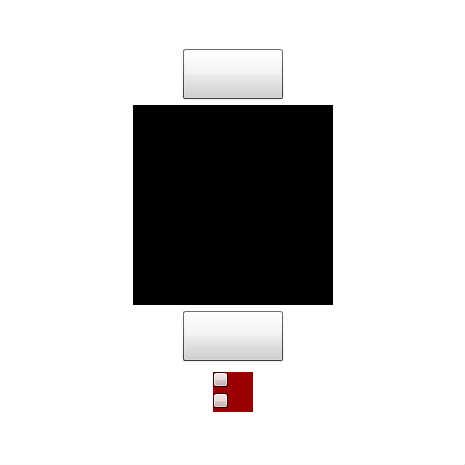
SpriteVisualElement サンプル 02
SpriteVisualElement に子表示オブジェクト置くのは少々危険かも
置きっぱならいいけど、生成 / 破棄とかはオススメできない
♥0 |
Line 58 |
Modified 2010-10-12 13:40:24 |
MIT License
archived:2017-03-10 15:41:50
ActionScript3 source code
/**
 * Copyright taiga ( http://wonderfl.net/user/taiga )
 * MIT License ( http://www.opensource.org/licenses/mit-license.php )
 * Downloaded from: http://wonderfl.net/c/rMao
 */

<?xml version="1.0" encoding="utf-8"?>
<!---
SpriteVisualElement サンプル 02
SpriteVisualElement に子表示オブジェクト置くのは少々危険かも
置きっぱならいいけど、生成 / 破棄とかはオススメできない
-->
<s:Application
    xmlns:fx="http://ns.adobe.com/mxml/2009"
    xmlns:s="library://ns.adobe.com/flex/spark"
>

    <fx:Style>
        @namespace s "library://ns.adobe.com/flex/spark";
        s|BorderContainer {
            border-color     : #ffffff;
            border-style     : solid;
            border-weight    : 5;
            border-alpha     : 1;
            background-color : #990000;
        }
    </fx:Style>

    <fx:Script>
        <![CDATA[
            import mx.controls.Alert;
            protected override function createChildren():void {
                super.createChildren();
                var g:Graphics = sprite.graphics;
                g.beginFill(0);
                g.drawRect(0,0,200,200);
                g.endFill();
            }
            protected function test1():void {
                sprite.addChild(box);
                box.move(20, 20);
            }
            protected function test2():void {
                try {
                    addElement(box);
                }
                catch(e:Error) {
                     Alert.show(e.toString());
                }
            }
        ]]>
    </fx:Script>

    <s:layout>
        <s:VerticalLayout horizontalAlign="center" verticalAlign="middle" />
    </s:layout>

    <s:Button width="100" height="50" click="test1()" />

    <s:SpriteVisualElement id="sprite" width="200" height="200" />

    <s:Button width="100" height="50" click="test2()" />

    <s:BorderContainer id="box" width="50" height="50">
        <s:layout>
            <s:VerticalLayout />
        </s:layout>
        <s:Button width="15" height="15" />
        <s:Button width="15" height="15" />
    </s:BorderContainer>

</s:Application>