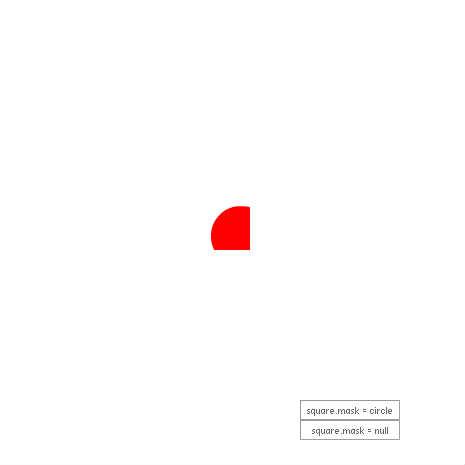
simple mask
http://help.adobe.com/ko_KR/as3/dev/WS5b3ccc516d4fbf351e63e3d118a9b90204-7e0b.html
♥0 |
Line 48 |
Modified 2011-07-22 00:58:46 |
MIT License
archived:2017-03-20 02:12:41
ActionScript3 source code
/**
 * Copyright SkywaveTM ( http://wonderfl.net/user/SkywaveTM )
 * MIT License ( http://www.opensource.org/licenses/mit-license.php )
 * Downloaded from: http://wonderfl.net/c/pICtK
 */

//drag to move object.
//press button to enable/disable mask.

/*
이번에는 예제를 생으로 써먹는 악습에서 벗어나고자 이것저것 덕지덕지 붙임...

원래 원을 마스크로 만든 뒤 원을 드래그되게 하려고 했는데 뒤에있는 빨간 사각형만 선택되서
on/off기능을 붙이고 사각형도을 드래그되게 만들었다는 후문 [...]

마스크 기능과는 별개로, 버튼만드는게 귀찮았는데 생전 처음으로 라이브러리인지 머시기인지 불러서 쓰니 참 편하더라...
*/

package {
    import flash.events.MouseEvent;
    import flash.display.Shape;
    import flash.display.Sprite;
    import com.bit101.components.PushButton;
    public class FlashTest extends Sprite {
        public function FlashTest() {
            var square:Sprite = new Sprite;

            square.graphics.beginFill(0xFF0000);
            square.graphics.drawRect(0,0,100,100);

            this.addChild(square);
            square.x = 150;
            square.y = 150;

            var circle:Sprite = new Sprite;

            circle.graphics.beginFill(0x0000FF);
            circle.graphics.drawCircle(0,0,30);

            this.addChild(circle);
            circle.x = 180;
            circle.y = 160;

            var onbtn:PushButton = new PushButton(this, 300,400, "square.mask = circle", maskOn);
            var ofFBTN:PushButton = new PushButton(this, 300,420, "square.mask = null", maskOff);

            circle.addEventListener(MouseEvent.MOUSE_DOWN, startCircleDrag);
            square.addEventListener(MouseEvent.MOUSE_DOWN, startSquareDrag);
            stage.addEventListener(MouseEvent.MOUSE_UP, stopDrag);


            function startCircleDrag(event:MouseEvent):void
            {
                circle.startDrag();
            }

            function startSquareDrag(event:MouseEvent):void
            {
                square.startDrag();
            }

            function stopDrag(event:MouseEvent):void
            {
                square.stopDrag();
                circle.stopDrag();
            }

            function maskOn(event:MouseEvent):void
            {
                square.mask = circle;
            }
            function maskOff(event:MouseEvent):void
            {
                square.mask = null;
            }


        }
    }
}