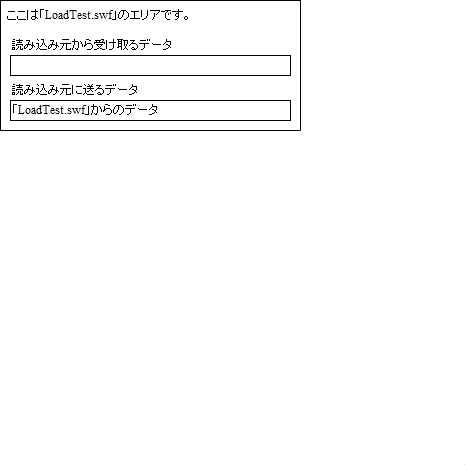
SWFの読み込みTEST用のソース
ローカルファイルのSWFの読み込み
外部サーバのSWFファイル読み込みのテスト
で使用する読み込み用SWFのソースです
「FlashDevelop 3.3.0 RTM」で作成しました
♥0 |
Line 53 |
Modified 2011-04-20 22:53:19 |
MIT License
archived:2017-03-20 12:12:36
ActionScript3 source code
/**
 * Copyright hi.kurosawa ( http://wonderfl.net/user/hi.kurosawa )
 * MIT License ( http://www.opensource.org/licenses/mit-license.php )
 * Downloaded from: http://wonderfl.net/c/p6sf
 */

package {
    //------------------------------------------
    //SWFファイル読み込みのテスト用
    // 読み込みSWFファイル
    // URL:http://programmingatelier.net/
    //------------------------------------------
    import flash.display.Sprite;
    import flash.events.Event;
    import flash.text.TextField;
    import flash.text.TextFieldType;

    public class LoadTest extends Sprite {
        public var txtDat1:TextField;
        public var txtDat2:TextField;

        public function LoadTest():void {
            if (stage) init();
            else addEventListener(Event.ADDED_TO_STAGE, init);
        }

        private function init(e:Event = null):void {
            removeEventListener(Event.ADDED_TO_STAGE, init);
            //画面作成
            graphics.lineStyle(1, 0x000000);
            graphics.drawRect(0, 0, 300, 130);
            graphics.endFill();
            addChild(fncText(5,5,250,20,"ここは「LoadTest.swf」のエリアです。"));
            addChild(fncText(10, 35, 250, 20, "読み込み元から受け取るデータ"));
            txtDat1 = fncTextInput(10, 55, 280, 20, "");
            addChild(txtDat1);
            addChild(fncText(10,80,250,20,"読み込み元に送るデータ"));
            txtDat2 = fncTextInput(10, 100, 280, 20, "「LoadTest.swf」からのデータ");
            addChild(txtDat2);

        }
        //読み込み元からコールする関数
        public function fncTest(s:String):String {
            txtDat1.text = s;
            return txtDat2.text;

        }
        //文字の表示エリア
        public function  fncText(x:int, y:int, w:int, h:int,
                    strText:String):TextField {
            var txtFil:TextField = new TextField();
            txtFil.x = x;
            txtFil.y = y;
            txtFil.width = w;
            txtFil.height = h;
            txtFil.text = strText;
            return txtFil;
        }
        //入力エリア
        public function  fncTextInput(x:int, y:int, w:int, h:int,
                    strText:String):TextField {
            var txtInput:TextField = new TextField();
            txtInput.type = TextFieldType.INPUT;
            txtInput.x = x;
            txtInput.y = y;
            txtInput.width = w;
            txtInput.height = h;
            txtInput.border = true;
            txtInput.text = strText;
            return txtInput;
        }

    }

}