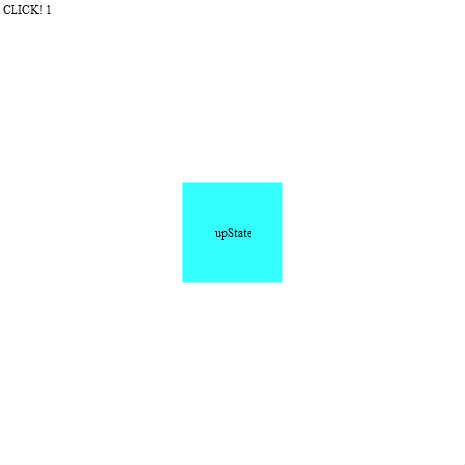
SimpleButton練習
simpleButtom練習
すんなり出来ちゃった…
コレもいっつも忘れるから関係無いけどメモ!
[SWF(width = 465, height = 465, backgroundColor = 0x000000, frameRate = 30)]
♥0 |
Line 71 |
Modified 2009-10-20 15:52:13 |
MIT License
archived:2017-03-20 16:32:03
ActionScript3 source code
/**
 * Copyright yasai ( http://wonderfl.net/user/yasai )
 * MIT License ( http://www.opensource.org/licenses/mit-license.php )
 * Downloaded from: http://wonderfl.net/c/nS0h
 */

package {
	import flash.display.SimpleButton;
    import flash.display.Sprite;
	import flash.events.MouseEvent;
	import flash.text.TextField;
	import flash.text.TextFieldAutoSize;
	import flash.utils.Timer;
	import flash.events.TimerEvent;
    //simpleButtom練習
    //すんなり出来ちゃった…
	//コレもいっつも忘れるから関係無いけどメモ!
	//[SWF(width = 465, height = 465, backgroundColor = 0x000000, frameRate = 30)]
	[SWF(frameRate = 30)]

    public class SimpleButtonTest extends Sprite {

		private const ALPHA:Number = 0.8;
		private const WIDTH:uint = 100;
		private const HEIGHT:uint = 100;
		private const THICKNESS:Number = 5;
		private const COLOR:Number = 0x000000;

		//コンストラクタ
        public function SimpleButtonTest() {
            // write as3 code here..
			var _y:uint = 0;
			var tf_ary:Array = [];
            var button:SimpleButton = generateButton();
			button.x = (stage.stageWidth - button.width) / 2;
			button.y = (stage.stageHeight - button.height) / 2;
			//クリックイベント
			button.addEventListener(MouseEvent.CLICK, function(e:MouseEvent):void {
				var tf:TextField = generateTextField("CLICK! " + (tf_ary.length + 1));
				addChild(tf);
				tf_ary.push(tf);
				tf.x = 0;
				tf.y = _y;
				_y += tf.height;
				//10回クリックしたら消す
				if (tf_ary.length == 10) {
					button.mouseEnabled = false
					//10回目を描画したら1秒後に全部消す
					var t:Timer = new Timer(1000,1);
					t.addEventListener(TimerEvent.TIMER, function(_e:TimerEvent):void {
						for (var index in tf_ary) {
							removeChild(tf_ary[index]);
						}
						tf_ary = [];
						_y = 0;
						button.mouseEnabled = true;
					});
					t.start();
				}
			});
			addChild(button);
        }

		//シンプルボタン生成
		private function generateButton():SimpleButton {
			var b:SimpleButton = new SimpleButton();
			b.upState = generateSprite(0x00FFFF,"upState");
			b.downState = generateSprite(0xFF00FF,"downState");
			b.overState = generateSprite(0xFFFF00,"overState");
			b.hitTestState = b.upState;

			return b;
		}

		//スプライト生成
		private function generateSprite(color:Number,text:String):Sprite {
			var sp:Sprite = new Sprite();
			sp.graphics.beginFill(color, ALPHA);
			sp.graphics.drawRect(0, 0, WIDTH, HEIGHT);
			sp.graphics.endFill();
			var tf:TextField = generateTextField(text);
			sp.addChild(tf);
			tf.x = (sp.width - tf.width) / 2;
			tf.y = (sp.height - tf.height) / 2;

			return sp;
		}

		//テキストフィールド生成
		private function generateTextField(text:String):TextField {
			var tf:TextField = new TextField();
			tf.autoSize = TextFieldAutoSize.CENTER;
			tf.text = text;

			return tf;
		}
    }
}