Gainer勉強1回目:モジュールのボタン
forked from Gainer Basic Example: Button (diff: 43)
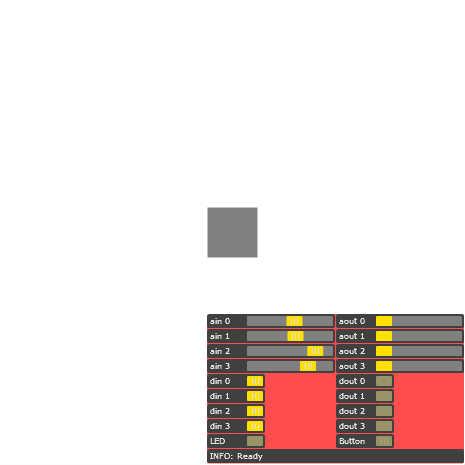
I/Oモジュール上のボタンを押す、離す、長押しすると画面上の
矩形が変化します。
長押しすると回転するようにしてみました。
基本的なセットアップについては以下のURLを参照してください
http://funnel.cc/Main/GettingStarted
GainerはAS2の説明はあるけどAS3はないですよね。
なんで、自分は1行ずつ自分なりの解釈で勉強します。
ちなみにAS3も初心者です(笑)
こういうことだよ!って突っ込みあったらご指導お願いします。

ActionScript3 source code
/**
 * Copyright umi_kappa ( http://wonderfl.net/user/umi_kappa )
 * MIT License ( http://www.opensource.org/licenses/mit-license.php )
 * Downloaded from: http://wonderfl.net/c/lwUF
 */

// forked from kotobuki's Gainer Basic Example: Button
// I/Oモジュール上のボタンを押す、離す、長押しすると画面上の
// 矩形が変化します。
//
//長押しすると回転するようにしてみました。
//
// 基本的なセットアップについては以下のURLを参照してください
// http://funnel.cc/Main/GettingStarted

//GainerはAS2の説明はあるけどAS3はないですよね。
//なんで、自分は1行ずつ自分なりの解釈で勉強します。
//ちなみにAS3も初心者です(笑)
//こういうことだよ!って突っ込みあったらご指導お願いします。

package {
    import flash.display.Sprite;
    import funnel.*;
    //Funnelライブラリの基本パッケージです.だって!
    //じゃあ・・・まずは読み込んでおけ!ってことかな??

    import funnel.gui.*;
    //右下に出ているスライダーのまとまりを表示させるやつ。
    //これ関係を消しても動作する。

    import funnel.ui.*;
    //入力・出力のイベントとかに必要みたい。ユーアイ

    import flash.events.Event;
    public class GainerBasic_Button extends Sprite {

        private var gio:Gainer;
        //Gainerのインスタンスを生成

        private var squareButton:Sprite;


        private var nagaosi:Boolean = false;
        //長押し判定

        public function GainerBasic_Button() {
            gio = new Gainer();

            squareButton = new Sprite();
            squareButton.graphics.beginFill(0x808080);
            squareButton.graphics.drawRect(-25, -25, 50, 50);
            squareButton.graphics.endFill();
            squareButton.x = stage.stageWidth / 2;
            squareButton.y = stage.stageHeight / 2;
            this.addChild(squareButton);
            //四角を表示させる

            var gui:GainerGUI = new GainerGUI();
            addChild(gui);
            gio.gui = gui;
            //右下のスライダーのまとまりを表示させるために。

            gio.button.addEventListener(ButtonEvent.PRESS, buttonPressed);
            //gio.buttonはモジュールの上についているボタンのこと
            //モジュールのボタンを押したら

            gio.button.addEventListener(ButtonEvent.RELEASE, buttonReleased);
            //モジュールのボタンを離したら

            gio.button.addEventListener(ButtonEvent.LONG_PRESS, buttonLongPressed);
            //モジュールのボタンを長押し

            this.addEventListener(Event.ENTER_FRAME,doEF);
        }

        private function buttonLongPressed(e:ButtonEvent):void {
            squareButton.scaleX = 2.0;
            squareButton.scaleY = 2.0;
            nagaosi = true;
        }

        private function buttonPressed(e:ButtonEvent):void {
            squareButton.scaleX = 1.5;
            squareButton.scaleY = 1.5;
        }

        private function buttonReleased(e:ButtonEvent):void {
            squareButton.scaleX = 1.0;
            squareButton.scaleY = 1.0;
            nagaosi = false;
        }

        private function doEF(e:Event):void{
        		if(nagaosi){
        			squareButton.rotation += 5;
        			if(squareButton.rotation > 360){
        				squareButton.rotation = 0;
        			}
        		}
        		//長押ししたら5ずつ回転
        }
    }
}