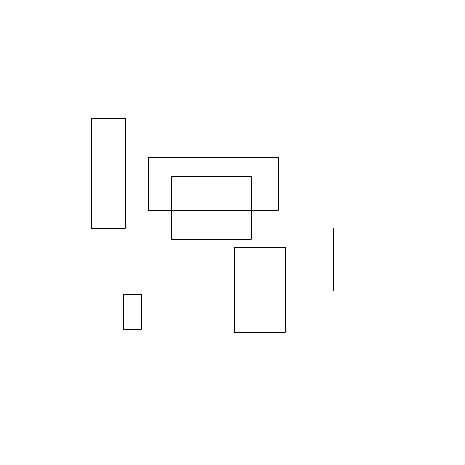
Draw Rectangle
I wrote this in a few minutes as an example for someone.
♥0 |
Line 44 |
Modified 2011-01-15 04:45:12 |
MIT License
archived:2017-03-20 03:15:04
ActionScript3 source code
/**
 * Copyright PESakaTFM ( http://wonderfl.net/user/PESakaTFM )
 * MIT License ( http://www.opensource.org/licenses/mit-license.php )
 * Downloaded from: http://wonderfl.net/c/gc6w
 */

package
{
    import flash.display.Sprite;
    import flash.events.MouseEvent;
    import flash.geom.Rectangle;

    [SWF(backgroundColor="#FFFFFF", frameRate="30", width='465', height='465')]
    public class Main extends Sprite
    {
        private var rect:Rectangle;
        private var selectDraw:Sprite;

        public function Main()
        {
          selectDraw = new Sprite();
          addChild(selectDraw);

          stage.addEventListener(MouseEvent.MOUSE_DOWN, startDraw);
        }

        private function startDraw(event:MouseEvent):void
        {
          rect = new Rectangle(mouseX, mouseY, 1, 1);
          stage.addEventListener(MouseEvent.MOUSE_MOVE, onMouseMove);
          stage.addEventListener(MouseEvent.MOUSE_UP, onMouseUp);
        }

        private function onMouseMove(event:MouseEvent):void
        {
          rect.height = mouseY - rect.y;
          rect.width = mouseX - rect.x;

          selectDraw.graphics.clear();
          selectDraw.graphics.lineStyle(1, 0, 1);
          selectDraw.graphics.drawRect(rect.x, rect.y, rect.width, rect.height);
          selectDraw.graphics.endFill();
        }

        private function onMouseUp(event:MouseEvent):void
        {
          stage.removeEventListener(MouseEvent.MOUSE_MOVE, onMouseMove);
          stage.removeEventListener(MouseEvent.MOUSE_UP, onMouseUp);

          rect.height = mouseY - rect.y;
          rect.width = mouseX - rect.x;

          selectDraw.graphics.clear();
          graphics.lineStyle(1, 0, 1);
          graphics.drawRect(rect.x, rect.y, rect.width, rect.height);
          graphics.endFill();
        }
    }
}