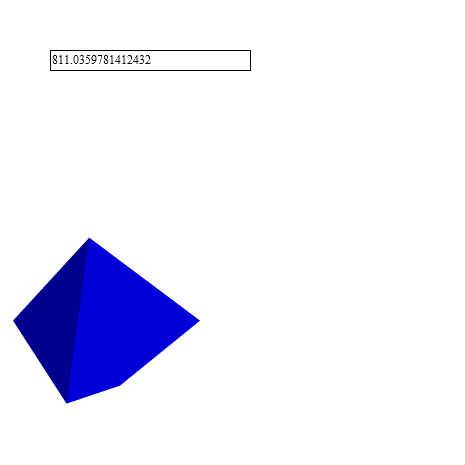
物体とカメラの距離
♥0 |
Line 36 |
Modified 2011-03-03 00:06:52 |
MIT License
archived:2017-03-20 13:58:06
ActionScript3 source code
/**
 * Copyright peso ( http://wonderfl.net/user/peso )
 * MIT License ( http://www.opensource.org/licenses/mit-license.php )
 * Downloaded from: http://wonderfl.net/c/fKZD
 */

package {
    import flash.events.*;
    import flash.text.*;
    import flash.utils.*;

    import org.papervision3d.lights.*;
    import org.papervision3d.materials.shadematerials.*;
    import org.papervision3d.objects.primitives.*;
    import org.papervision3d.view.*;

    // [SWF(backgroundColor=0x000000)]
    public class week3_ex1 extends BasicView {
        private var sphere:Sphere; //球体
        private var text_field:TextField = new TextField();
        public function week3_ex1():void {
            // 背景を白にする。
            graphics.beginFill(0xFFFFFF);
            graphics.drawRect(0,0,stage.stageWidth, stage.stageHeight);
            graphics.endFill();

            // ライトを作成
            var light:PointLight3D = new PointLight3D(true, false);

            // マテリアルを作成
            var material:FlatShadeMaterial = new FlatShadeMaterial(light, 0x0000FF, 0x000080, 50);

            // 球体を作成
            sphere = new Sphere(material, 200, 4, 2);
            scene.addChild(sphere);

            stage.addChild(text_field);
            text_field.border = true;    // 枠を表示する
            text_field.x = 50;        // x 座標
            text_field.y = 50;        // y 座標
            text_field.width  = 200;    // 幅
            text_field.height = 20;    // 高さ

            // カメラのY座標
            camera.y = 500;

            addEventListener(Event.ENTER_FRAME, loop);
            startRendering();
        }
        // エンターフレームイベント
        private function loop(e:Event):void {

            // 球体を移動
            sphere.x = 500 * Math.sin(getTimer() / 1000);
            sphere.z = 500 * Math.cos(getTimer() / 1000);
            // 距離を測定し、タイムラインに配置したダイナミックテキストに表示
            text_field.text = String(camera.distanceTo(sphere));
        }
    }
}