flash on 2009-8-23
♥0 |
Line 58 |
Modified 2009-08-23 21:01:24 |
MIT License
archived:2017-03-20 03:51:21
ActionScript3 source code
/**
 * Copyright TmskSt ( http://wonderfl.net/user/TmskSt )
 * MIT License ( http://www.opensource.org/licenses/mit-license.php )
 * Downloaded from: http://wonderfl.net/c/fKEv
 */

package
{
	import flash.display.Sprite;
	import flash.events.KeyboardEvent;
	import flash.text.TextField;
	import flash.text.TextFieldType;

	public class  FlashTest extends Sprite
	{
		//コンストラクタ

		//インプットとアウトプット 2つのテキストフィールドを生成
		private var tfInput:TextField = new TextField();
		private var tfOutput:TextField = new TextField();

		//答えの数値
		private var answer:uint = Math.floor(Math.random() * 500);

		public function FlashTest():void {
			//インプットテキストフィールドの幅を指定
			tfInput.width = 250;
			//インプットテキストフィールドの幅を指定
			tfInput.height = 22;
			//インプットテキストフィールドを配置する座標を指定
			// X … ステージの幅(stage.stageWidth) * 0.5(半分) - このテキストフィールドの幅の半分 => 中央に配置される
			tfInput.x = stage.stageWidth * .5 - tfInput.width * 0.5;
			tfInput.y = stage.stageHeight * .5;
			tfInput.border = true;
			tfInput.text = "Reset と入力すると答えが変わります"
			//インプットテキストフィールドを入力可能な状態に変更
			tfInput.type = TextFieldType.INPUT;
			//インプットテキストフィールドにイベントリスナーを登録
			//KeyboardEvent.KEY_DOWNを登録することでキーボードが押されるたびに keyDown(★印)関数が実行されます
			tfInput.addEventListener(KeyboardEvent.KEY_DOWN, keyDown);
			//ステージにインプットテキストフィールドを追加
			stage.addChild(tfInput);

			//アウトプットテキストフィールドも基本的にインプットと同じことをしています
			tfOutput.width = 250;
			tfOutput.height = 22;
			tfOutput.x = stage.stageWidth * .5 - tfOutput.width * 0.5;
			tfOutput.y = stage.stageHeight * .5 + 30;
			tfOutput.border = true;
			tfOutput.text = "Output";
			tfOutput.addEventListener(KeyboardEvent.KEY_DOWN, keyDown);
			stage.addChild(tfOutput);

			//インプットテキストフィールドの上に表示されるLabelを作ります
			var tfLabel:TextField = new TextField();
			tfLabel.width = 250;
			tfLabel.height = 22;
			tfLabel.x = tfInput.x;
			tfLabel.y = tfInput.y - tfInput.height - 5;
			tfLabel.text = "数値を入力してください";
			tfLabel.textColor = 0xAAAAAA;
			tfLabel.selectable = false;
			stage.addChild(tfLabel);
		}
		//★
		//33行目で登録したイベントが発生すると この関数が実行されます
		private function keyDown(evt:KeyboardEvent):void {
			//条件 : もし tfInput.text に Reset と入力されていたら
			if (tfInput.text == "Reset") {
				//答えをリセット
				answer = Math.floor(Math.random() * 500);
				tfOutput.text = "Reset";

			//条件 : 値を数字に変換、変換に成功していたら(ここは難しいので飛ばしたほうが吉です)
			}else if(Number(tfInput.text) as Number){
					var inputNumber:uint = Number(tfInput.text);

					if (inputNumber == answer) {
						tfOutput.text = "正解";
					}else if (inputNumber > answer) {
						tfOutput.text = "大きすぎます";
					}else if (inputNumber < answer) {
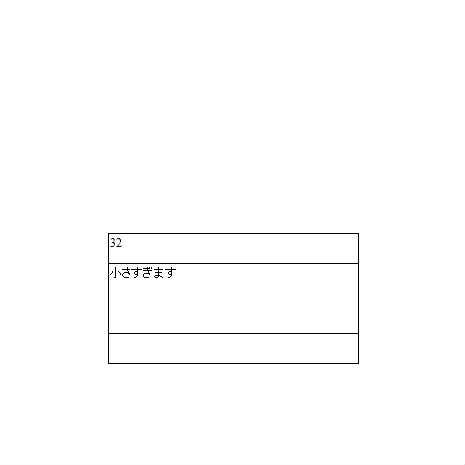
						tfOutput.text = "小さすぎます";
					}
			} else {
			tfOutput.text = "数値のみを入力してください";
			}
		}
	}
}