/**
 * Copyright Senekis ( http://wonderfl.net/user/Senekis )
 * MIT License ( http://www.opensource.org/licenses/mit-license.php )
 * Downloaded from: http://wonderfl.net/c/bTop
 */

package {
    import flash.display.Shape;
    import flash.display.Sprite;
    import flash.events.MouseEvent;
    import flash.text.TextField;
    import flash.text.TextFormat;
    public class FlashTest extends Sprite {
        private var
        color:int,r:int,g:int,b:int,a:int,f:int,v:Vector.<TextField>=new <TextField>[];
        public function FlashTest(){
            stage.addEventListener(MouseEvent.CLICK,function(e:MouseEvent):void{colorToGrey(Math.random()*0xFFFFFF)});
            colorToGrey(Math.random()*0xFFFFFF);
        }

        private function colorToGrey(c:int):void{
            graphics.clear();
            var i:int=-1,e:int=v.length;
            if(e){
                while(++i<e)removeChild(v[i]);
                v.splice(0,e);
            }
            // write as3 code here..
            color=c,r=color>>16&255,g=color>>8&255,
            b=color&255,a=(r+g+b)/3,f=(a<<16|a<<8|a);
            var cr:int=(r<<16|r<<8|r),cg:int=(g<<16|g<<8|g),cb:int=(b<<16|b<<8|b),
            or:int=parseInt("0x"+r.toString(16)+"0000"),
            og:int=parseInt("0x"+g.toString(16)+"00");
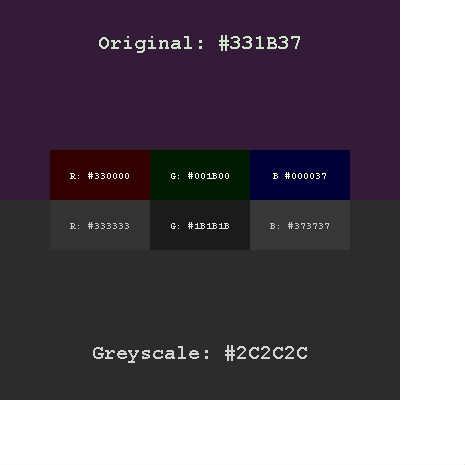
            drawAt(color,0,0,400,200,r,g,b,"Original: #"+color.toString(16));
            drawAt(f,0,200,400,200,a,a,a,"Greyscale: #"+f.toString(16),true);
            drawAt(cr,50,200,100,50,r,r,r,"R: #"+cr.toString(16));
            drawAt(cg,150,200,100,50,g,g,g,"G: #"+cg.toString(16));
            drawAt(cb,250,200,100,50,b,b,b,"B: #"+cb.toString(16));
            drawAt(or,50,150,100,50,or,0,0,"R: #"+r.toString(16));
            drawAt(og,150,150,100,50,0,og,0,"G: #00"+g.toString(16));
            drawAt(b,250,150,100,50,0,0,b,"B #0000"+b.toString(16));
        }


        private function drawAt(c:int,_x:int,_y:int,w:int,h:int,R:int=0,G:int=0,B:int=0,f:String=null,bo:Boolean=false):void{
            graphics.beginFill(c);
            graphics.drawRect(_x,_y,w,h);
            graphics.endFill();
            if(!f)return;
            var a:Array=f.split("#");
            while(a[1].length<6)a[1]+="0";
            a[1]=a[1].toUpperCase();
            f=a.join("#");
            var t:TextField=new TextField();
            v[v.length]=t;
            addChild(t);
            t.multiline=t.selectable=false;
            t.width=0;
            t.autoSize="left";
            t.defaultTextFormat=new TextFormat("_typewriter",w===400?20:10,(((R^0255)<<16)|((G^255)<<8)|B^255),true);
            t.text=f;
            if(h<200)t.y=_y+((h-t.height)*.5);
            else t.y=bo?(_y+h)-60:_y+30;
            t.x=_x+((w-t.width)*.5)
        }
    }
}