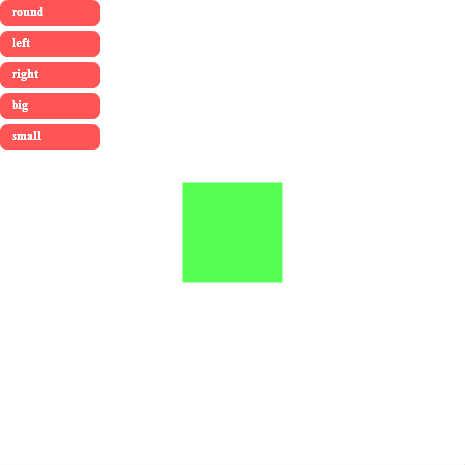
OkAGOSTINI 第4号 ボタンで操作★解答例
♥0 |
Line 130 |
Modified 2010-07-06 19:53:36 |
MIT License
archived:2017-03-09 13:32:40
ActionScript3 source code
/**
 * Copyright darman ( http://wonderfl.net/user/darman )
 * MIT License ( http://www.opensource.org/licenses/mit-license.php )
 * Downloaded from: http://wonderfl.net/c/bHzj
 */

package {
    import adobe.utils.CustomActions;
    import flash.display.Sprite;
    import flash.display.StageAlign;
    import flash.display.StageQuality;
    import flash.display.StageScaleMode;
    import flash.events.Event;
    import flash.events.MouseEvent;

    public class FlashTest extends Sprite {

        //ボックスのアニメーションのタイプと定数として定義
        private const ROUND:String = "round";
        private const LEFT:String = "left";
        private const RIGHT:String = "right";
        private const BIG:String = "big";
        private const SMALL:String = "small";

        //定数を配列に格納
        private var _nameList:Array = [ ROUND, LEFT, RIGHT, BIG, SMALL ];

        //動かすターゲットの四角形
        private var _box:Sprite;

        //パラメータを変化させる変数
        private var _toParam:Number = 0;
        private var _toRound:Number = 0;

        //今のパラメータの値を格納
        private var _nowParam:String;


        public function FlashTest() {
            // write as3 code here..
            if (stage) init();
            else addEventListener(Event.ADDED_TO_STAGE, init);
        }
        private function init(e:Event = null):void {
            removeEventListener(Event.ADDED_TO_STAGE, init);
            stage.align = StageAlign.TOP_LEFT;
            stage.quality = StageQuality.HIGH;
            stage.scaleMode = StageScaleMode.NO_SCALE;

            _box = new Sprite();
            _box.graphics.beginFill(0x55ff55);
            _box.graphics.drawRect( -50, -50, 100, 100);
            _box.graphics.endFill();
            _box.x = stage.stageWidth / 2;
            _box.y = stage.stageHeight / 2;
            addChild(_box);

            //配列を元にボタンを作成
            for (var i:int = 0; i < _nameList.length; i++)
            {
                var btn:BaseBtn = new BaseBtn(_nameList[i]);
                btn.addEventListener(MouseEvent.CLICK, _boxMoveStart );
                btn.y = (btn.height + 5) * i;
                addChild(btn);
            }

        }

        private function _boxMoveStart(e:MouseEvent):void {

            _nowParam = e.target.id;

            switch( _nowParam ) {
                case "round" :
                    var rot:uint = 45;
                    _toParam = _toRound + rot;
                break;

                case "left" :
                    _toParam = _box.x - 50;
                break;

                case "right" :
                    _toParam = _box.x + 50;
                break;

                case "big" :
                    _toParam = _box.scaleX + 0.25;
                    if (_toParam >= 4.5 ) _toParam = 4.5;
                break;

                case "small" :
                    _toParam = _box.scaleX - 0.25;
                    if (_toParam <= 0.25 ) _toParam = 0.25;
                break;
            }

            _box.addEventListener(Event.ENTER_FRAME,_boxAnime);
        }

        private function _boxAnime(e:Event):void {

            switch( _nowParam ) {
                case "round" :
                    _toRound += ( _toParam - _toRound ) * 0.1;
                    e.target.rotation = _toRound;
                break;

                case "left" :
                    e.target.x += ( _toParam - e.target.x  ) * 0.1;
                    if ( e.target.x <= -(e.target.width / 2) ) {
                        e.target.x = stage.stageWidth + e.target.width;
                        _toParam = stage.stageWidth;
                    }
                break;

                case "right" :
                    e.target.x += ( _toParam - e.target.x  ) * 0.1;
                    if ( e.target.x >= stage.stageWidth + e.target.width / 2 ) {
                        e.target.x = -(e.target.width / 2);
                        _toParam = 0;
                    }
                break;

                case "big" :
                    e.target.scaleX += ( _toParam - e.target.scaleX  ) * 0.1;
                    e.target.scaleY += ( _toParam - e.target.scaleY  ) * 0.1;
                break;

                case "small" :
                    e.target.scaleX += ( _toParam - e.target.scaleX  ) * 0.1;
                    e.target.scaleY += ( _toParam - e.target.scaleY  ) * 0.1;
                break;
            }

        }
    }
}

import flash.display.Sprite;
import flash.events.MouseEvent;
import flash.text.TextField;
import flash.text.TextFormat;

class BaseBtn extends Sprite {

    //ボックスの名前
    public var id:String;


    public function BaseBtn(value:String){
        buttonMode = true;

        id = value;

        var text:TextField = new TextField();
        text.autoSize = "left";
        text.selectable = false;
        text.mouseEnabled = false;
        text.defaultTextFormat = new TextFormat(null, 12, 0xffffff, true);
        text.text = id;
        text.x = 10;
        text.y = 2;
        addChild(text);

        graphics.beginFill(0xff5555);
        graphics.drawRoundRect(0,0,100,26,15);
        graphics.endFill();

        addEventListener(MouseEvent.MOUSE_OVER, _over );
        addEventListener(MouseEvent.MOUSE_OUT, _out );
    }

    private function _over(e:MouseEvent):void {
        e.target.alpha = 0.7;
    }
    private function _out(e:MouseEvent):void {
        e.target.alpha = 1;
    }

}