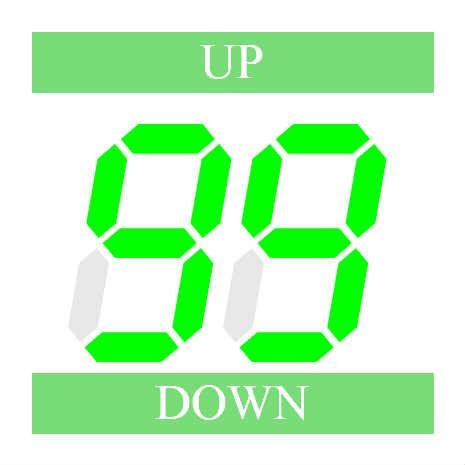
/**
 * Copyright hi.kurosawa ( http://wonderfl.net/user/hi.kurosawa )
 * MIT License ( http://www.opensource.org/licenses/mit-license.php )
 * Downloaded from: http://wonderfl.net/c/aCWc
 */

package {
    //----------------------------------------------
    //ボタンの長押し(LongPress)試験
    //  Androidで長押し(LongPress)の対応?
    // http://programmingatelier.net/
    //----------------------------------------------
    import flash.display.Sprite;
    import flash.events.Event;
    import flash.display.StageScaleMode;
    import flash.display.StageAlign;
    //import cls.*;

    public class LongPress extends Sprite {
        private var arrNum:Array;
        private var intVal:int;

        public function LongPress():void {
            if (stage) init();
            else addEventListener(Event.ADDED_TO_STAGE, init);
        }

        private function init(e:Event = null):void         {
            removeEventListener(Event.ADDED_TO_STAGE, init);
            stage.frameRate = 10;    //UP/DOWNボタンの長押しの時のスピード調整(1秒に10回)
            //下の2行を加えるとHTMLで定義したサイズで表示
            stage.scaleMode = StageScaleMode.NO_SCALE;
            stage.align =StageAlign.TOP_LEFT;
            var intBMw:int = stage.stageWidth;    //描画サイズ取得
            var intBMh:int = stage.stageHeight;
            var intSiz:int = intBMw;
            //縦横の短いほうが基準
            if (intSiz > intBMh) { intSiz = intBMh; }
            intSiz = intSiz / 15;

            arrNum = new Array();
            intVal = 0;

            addChild(new clsButton("UP" , intSiz, intSiz, intSiz*13, intSiz*2,onUP,onUP,false));
            addChild(new clsButton("DOWN" , intSiz, intSiz*12, intSiz*13, intSiz*2,onDO,onDO,false));

            for (var i:int = 0; i < 2; i++) {
                var ledNum:clsLedNum = new clsLedNum("0",intSiz*(2+i*5),intSiz*4,intSiz*4);
                addChild(ledNum);
                arrNum.push(ledNum);
            }
        }

        private function onUP(e:Event = null):void {
            intVal++;
            if (intVal == 100) { intVal = 0;}
            fncDispNum(intVal);
        }
        private function onDO(e:Event=null):void {
            intVal--;
            if (intVal == -1) { intVal= 99;}
            fncDispNum(intVal);
        }
        private function fncDispNum(iVal:int):void {
            arrNum[0].setVal((int(iVal/ 10) % 10).toString());
            arrNum[1].setVal((int(iVal  ) % 10).toString());
        }
    }
}
//----------------------------------------------------------
//package cls {
    //----------------------------------------------
    //ボタンクラス:TextFieldをボタンのように使う
    //   長押し(LongPress)の対応
    // http://programmingatelier.net/
    //----------------------------------------------
    import flash.events.Event;
    import flash.events.MouseEvent;
    import flash.text.TextField;
    import flash.ui.MouseCursor;
    import flash.ui.Mouse;
    import flash.text.TextFormat;
    import flash.text.TextFormatAlign;
    import flash.utils.getTimer;

//    public class  clsButton extends TextField {
    class  clsButton extends TextField {
        private var tfFormat:TextFormat;
        private var bolEnable:Boolean;
        private var fncChk:Function;
        private var fncLongPress:Function;
        private var intTim:int;

        //ボタンクラス:TextFieldをボタンのように使う
        // sText:表示する文字
        // nX,nY:表示位置
        // nWidth,nHeight:ボタンのサイズ
        // fChk:クリックしたときの関数「fChk(e:MouseEvent):void」
        // fLongPress:ボタンの長押ししたときの関数「fボタンの長押し():void」
        // bItalic:ボタンの文字をItalicにするか?
        public function clsButton(sText:String ,
                nX:Number, nY:Number, nWidth:Number, nHeight:Number , fChk:Function=null,
                fLongPress:Function=null,bItalic:Boolean=true) {
            this.text = sText;
            this.x = nX;
            this.y = nY;
            this.width = nWidth;
            this.height = nHeight;
            this.border = true;
            this.borderColor = 0xffffff;
            this.background = true;
            this.backgroundColor = 0x77dd77;
            this.textColor = 0xffffff;
            this.selectable = false;
            tfFormat = new TextFormat();
            tfFormat.align = TextFormatAlign.CENTER;
            tfFormat.size = nHeight *0.8;
            tfFormat.italic = bItalic;
            this.setTextFormat(tfFormat);
            bolEnable = false;
            fncChk = fChk;
            fncLongPress = fLongPress;
            this.enable(true);
        }
        //表示文字の変更
        // sText:表示する文字
        public function setText(sText:String):void {
            this.text = sText;
            this.setTextFormat(tfFormat);
        }
        //ボタンの有効(bflg=true)・無効(bflg=false)
        public function enable(bflg:Boolean):void {
            if (bflg == bolEnable) { return; }
            bolEnable = bflg;
            if (bolEnable) {
                if (fncChk != null) {this.addEventListener(MouseEvent.CLICK, fncChk);}
                this.addEventListener(MouseEvent.ROLL_OVER, onOver);
                this.addEventListener(MouseEvent.ROLL_OUT, onOut);
                if (fncLongPress != null) {
                    this.addEventListener(MouseEvent.MOUSE_DOWN, onDown);
                    this.addEventListener(MouseEvent.MOUSE_UP, onUp);
                }
                this.alpha = 1.0;
            }else {
                if (fncChk != null) {this.addEventListener(MouseEvent.CLICK, fncChk);}
                this.removeEventListener(MouseEvent.ROLL_OVER, onOver);
                this.removeEventListener(MouseEvent.ROLL_OUT, onOut);
                if (fncLongPress != null) {
                    this.removeEventListener(MouseEvent.MOUSE_DOWN, onDown);
                    this.removeEventListener(MouseEvent.MOUSE_UP, onUp);
                }
                this.alpha = 0.5;
            }
        }
        //マウスオーバー処理(ボタンらしく見せる)
        public function onOver(e:MouseEvent):void {
            e.target.backgroundColor = 0x55bb55;
            //Mouse.cursor=flash.ui.MouseCursor.HAND;
        }
        public function onOut(e:MouseEvent):void {
            e.target.backgroundColor = 0x77dd77;
            //Mouse.cursor=flash.ui.MouseCursor.ARROW;
        }
        //長押し(LongPress)の対応
        public function onDown(e:MouseEvent):void {
            intTim = getTimer();
            this.addEventListener(Event.ENTER_FRAME, onLongPress);
        }
        public function onUp(e:MouseEvent):void {
            this.removeEventListener(Event.ENTER_FRAME, onLongPress);
        }
        public function onLongPress(e:Event):void {
            //ボタンを押し続けて0.5秒以上たったら長押し
            if (intTim < getTimer() - 500) { fncLongPress(); }
        }
    }
//}
//---------------------------------------------------------------
//package cls {
    //----------------------------------------------
    //デジタル数字クラス
    // http://programmingatelier.net/
    //----------------------------------------------
    import flash.display.Sprite;
    import flash.events.Event;

//    public class clsLedNum extends Sprite {
    class clsLedNum extends Sprite {
        //デジタル数字形状(7形状*6点)
        private const arrPoint1:Array = [
            [7,0],[20,0],[23,3],[20,6],[7,6],[4,3],
            [21,7],[21,20],[24,23],[27,20],[27,7],[24,4],
            [21,28],[21,41],[24,44],[27,41],[27,28],[24,25],
            [7,42],[20,42],[23,45],[20,48],[7,48],[4,45],
            [0,28],[0,41],[3,44],[6,41],[6,28],[3,25],
            [0,7],[0,20],[3,23],[6,20],[6,7],[3,4],
            [7,21],[20,21],[23,24],[20,27],[7,27],[4,24]
        ];
        //数字(文字)に対する形状の表示ON(=1)・OFF(=0)
        // 16進対応
        private const arrFlg:Array = [
            {code:"",flg:[0,0,0,0,0,0,0]},
            {code:"-",flg:[0,0,0,0,0,0,1]},
            {code:"0",flg:[1,1,1,1,1,1,0]},
            {code:"1",flg:[0,1,1,0,0,0,0]},
            {code:"2",flg:[1,1,0,1,1,0,1]},
            {code:"3",flg:[1,1,1,1,0,0,1]},
            {code:"4",flg:[0,1,1,0,0,1,1]},
            {code:"5",flg:[1,0,1,1,0,1,1]},
            {code:"6",flg:[1,0,1,1,1,1,1]},
            {code:"7",flg:[1,1,1,0,0,0,0]},
            {code:"8",flg:[1,1,1,1,1,1,1]},
            {code:"9",flg:[1,1,1,1,0,1,1]},
            {code:"A",flg:[1,1,1,0,1,1,1]},
            {code:"B",flg:[0,0,1,1,1,1,1]},
            {code:"C",flg:[1,0,0,1,1,1,0]},
            {code:"D",flg:[0,1,1,1,1,0,1]},
            {code:"E",flg:[1,0,0,1,1,1,1]},
            {code:"F",flg:[1,0,0,0,1,1,1]},
        ];
        private const numD0:Number = 25.0;
        private var numDD:Number;    //数字幅
        private var numAng:Number;    //数字の傾き
        private var strCod:String;    //表示中の数字(文字)
        //デジタル数字
        // sCod:数字(文字)"","-","0"-"9","A"-"F"
        // nX,nY:位置
        // nSiz:数字幅
        // nAng:数字の傾き
        public function clsLedNum(sCod:String , nX:Number, nY:Number,
                    nSiz:Number = 25.0, nAng:Number = 10 ) {
            strCod = sCod.toUpperCase();
            numDD = nSiz/numD0;
            numAng = nAng * Math.PI / 180;
            this.x = nX;
            this.y = nY;
            if (stage) init();
            else addEventListener(Event.ADDED_TO_STAGE, init);
        }
        private function init(e:Event = null):void {
            removeEventListener(Event.ADDED_TO_STAGE, init);
            DispNum();
        }
        //表示数字(文字)の変更
        // sCod:数字(文字)
        public function setVal(sCod:String):void {
            if (strCod == sCod.toUpperCase()) { return; }
            strCod = sCod.toUpperCase();
            DispNum();
        }
        //数字(文字)の表示
        private function DispNum():void {
            graphics.clear();
            var no:int = 0;    //対象外は””と同じ扱いにする
            var i:int;
            for (i = 0; i < arrFlg.length; i++) {
                if (arrFlg[i].code == strCod) {no = i; }
            }
            for (i = 0; i < 7; i++) {
                var ic:uint = 0x00ff00;    //表示ONのとき
                var ar:Number =1.0;
                if (arrFlg[no].flg[i] == 0) {    //表示OFFの時
                    ic = 0x888888;
                    ar = 0.2;
                }
                dispSeg(i, ic,ar);
            }
        }
        //1形状の表示
        // no:形状のNO
        // ic:カラー
        // ar:alpha値
        private function dispSeg(no:int,ic:uint,ar:Number):void {
            var i:int;
            var dx:Number;
            graphics.lineStyle(1, ic,0);
            graphics.beginFill(ic,ar);
            dx = (48 - arrPoint1[no * 6 ][1]) * numAng;
            graphics.moveTo((arrPoint1[no*6][0]+dx)*numDD, (arrPoint1[no*6][1])*numDD);
            for (i = 1; i < 6; i++) {
                dx = (48 - arrPoint1[no * 6 + i][1]) * numAng;
                graphics.lineTo((arrPoint1[no*6+i][0]+dx)*numDD, (arrPoint1[no*6+i][1])*numDD);
            }
            graphics.endFill();
        }
    }
//}