forked from: forked from: forked from: BitmapDataで配列に格納すると高速化するよ
forked from forked from: forked from: BitmapDataで配列に格納すると高速化するよ (diff: 2)
So basically the original Flash rendered each arrow as an individual bitmap, but instead why not
blit all the arrows onto one single bitmap? I thought it was weird that you'd have a lot of
individual bitmaps, and for one second I thought that might actually be faster, thinking Flash
would natively render each bitmap instead of using Flash's copyPixels, but apparently
copyPixels IS faster.

Thanks to the following forkers and the original coder for making me realise this. :-)
- Johannes, funbyjohn.com

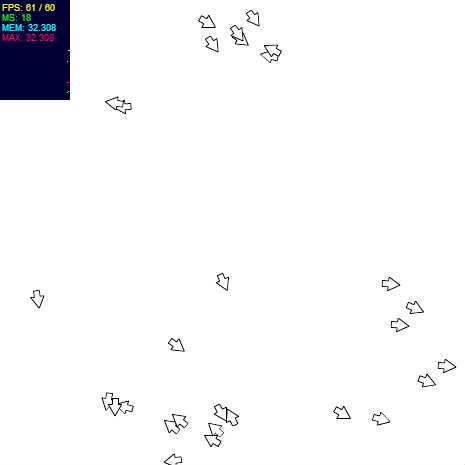
矢印がいっぱいなんだけど、高速なデモ
画質はディフォルトの StageQuality.HIGH で
矢印 1000個
@author Yasu

ActionScript3 source code
/**
 * Copyright Omar.Sameh.Shehata ( http://wonderfl.net/user/Omar.Sameh.Shehata )
 * MIT License ( http://www.opensource.org/licenses/mit-license.php )
 * Downloaded from: http://wonderfl.net/c/LRKa
 */

// forked from Johannes's forked from: forked from: BitmapDataで配列に格納すると高速化するよ
/*
So basically the original Flash rendered each arrow as an individual bitmap, but instead why not
blit all the arrows onto one single bitmap? I thought it was weird that you'd have a lot of
individual bitmaps, and for one second I thought that might actually be faster, thinking Flash
would natively render each bitmap instead of using Flash's copyPixels, but apparently
copyPixels IS faster.

Thanks to the following forkers and the original coder for making me realise this. :-)
- Johannes, funbyjohn.com
*/

// forked from hacker_w7g8_2h7's forked from: BitmapDataで配列に格納すると高速化するよ
// forked from clockmaker's BitmapDataで配列に格納すると高速化するよ
// forked from clockmaker's 3D Flow Simulation with Field of Blur
// forked from clockmaker's 3D Flow Simulation
// forked from clockmaker's Interactive Liquid 10000
// forked from clockmaker's Liquid110000 By Vector
// forked from munegon's forked from: forked from: forked from: forked from: Liquid10000
// forked from Saqoosha's forked from: forked from: forked from: Liquid10000
// forked from nutsu's forked from: forked from: Liquid10000
// forked from nutsu's forked from: Liquid10000
// forked from zin0086's Liquid10000
package
{
    /**
     * 矢印がいっぱいなんだけど、高速なデモ
     * 画質はディフォルトの StageQuality.HIGH で
     * 矢印 1000個
     * @author Yasu
     */
    import flash.display.*;
    import flash.geom.*;
    import flash.events.*;
    import flash.utils.*;
    import flash.geom.*;
    import net.hires.debug.Stats;

    [SWF(width="465", height="465", backgroundColor="0xFFFFFF")]
    public class Main extends Sprite {
        private const NUM_PARTICLE:uint = 30;
        private const ROT_STEPS:int = 120;

        private var forceMap:BitmapData = new BitmapData( 233, 233, false, 0x000000 );
        private var randomSeed:uint = Math.floor( Math.random() * 0xFFFF );
        private var particleList:Vector.<Arrow> = new Vector.<Arrow>(NUM_PARTICLE, true);
        private var rect:Rectangle = new Rectangle( 0, 0, 465, 465 );
        private var seed:Number = Math.floor( Math.random() * 0xFFFF );
        private var offset:Array = [new Point(), new Point()];
        private var timer:Timer;
        private var world:Bitmap;
        private var worldBitmapData:BitmapData = new BitmapData( 465, 465, false, 0xFFFFFFFF );
        private var rotArr:Vector.<BitmapData> = new Vector.<BitmapData>(ROT_STEPS, true);

        public function Main() {

            stage.align = StageAlign.TOP_LEFT;
            stage.scaleMode = StageScaleMode.NO_SCALE;
            stage.frameRate = 60;

            world = new Bitmap(worldBitmapData);
            addChild(world);

            // フォースマップの初期化をおこないます
            resetFunc();

            // ループ処理
            addEventListener( Event.ENTER_FRAME, loop );

            // 時間差でフォースマップと色変化の具合を変更しています
            var timer:Timer = new Timer(1000)
            timer.addEventListener(TimerEvent.TIMER, resetFunc);
            timer.start();

            // 矢印をプレレンダリング
            var dummy:Sprite = new Sprite();
            dummy.graphics.beginFill(0xFFFFFF, 1);
            dummy.graphics.lineStyle(1, 0x0, 1);
            dummy.graphics.moveTo(2, 4);
            dummy.graphics.lineTo(8, 4);
            dummy.graphics.lineTo(8, 0);
            dummy.graphics.lineTo(20, 7);
            dummy.graphics.lineTo(8, 14);
            dummy.graphics.lineTo(8, 10);
            dummy.graphics.lineTo(2, 10);
            dummy.graphics.lineTo(2, 4);

            var matrix:Matrix;
            var i:int = ROT_STEPS;
            while (i--)
            {
                matrix = new Matrix();
                matrix.translate( -11, -11);
                matrix.rotate( ( 360 / ROT_STEPS * i )* Math.PI / 180);
                matrix.translate( 11, 11);
                rotArr[i] = new BitmapData(22, 22, true, 0x0);
                rotArr[i].draw(dummy, matrix);
            }

            // パーティクルを生成します
            for (i = 0; i < NUM_PARTICLE; i++) {
                var px:Number = Math.random() * 465;
                var py:Number = Math.random() * 465;
                particleList[i] = new Arrow(px, py);
            }

            // デバッグ用のスタッツを表示しています
            addChild(new Stats);
        }

        private function loop( e:Event ):void {

            worldBitmapData.fillRect(rect, 0xFFFFFFFF);

            var len:uint = particleList.length;
            var col:Number;

            for (var i:uint = 0; i < len; i++) {

                var arrow:Arrow = particleList[i];

                var oldX:Number = arrow.x;
                var oldY:Number = arrow.y;

                col = forceMap.getPixel( arrow.x >> 1, arrow.y >> 1);
                arrow.ax += ( (col      & 0xff) - 0x80 ) * .0005;
                arrow.ay += ( (col >> 8 & 0xff) - 0x80 ) * .0005;
                arrow.vx += arrow.ax;
                arrow.vy += arrow.ay;
                arrow.x += arrow.vx;
                arrow.y += arrow.vy;

                var _posX:Number = arrow.x;
                var _posY:Number = arrow.y;

                var rot:Number = - Math.atan2((_posX - oldX), (_posY - oldY)) * 180 / Math.PI + 90;
                var angle:int = rot / 360 * ROT_STEPS | 0;
                // Math.absの高速化ね
                angle = (angle ^ (angle >> 31)) - (angle >> 31);
                arrow.rot += (angle - arrow.rot) * 0.2;
                worldBitmapData.copyPixels(rotArr[arrow.rot], new Rectangle(0,0,22,22), new Point(arrow.x, arrow.y), rotArr[arrow.rot], new Point(), true);

                arrow.ax *= .96;
                arrow.ay *= .96;
                arrow.vx *= .92;
                arrow.vy *= .92;

                // あと配置座標を整数化しておきます
                arrow.x = arrow.x | 0;
                arrow.y = arrow.y | 0;

                ( _posX > 465 ) ? arrow.x = 0 :
                    ( _posX < 0 ) ? arrow.x = 465 : 0;
                ( _posY > 465 ) ? arrow.y = 0 :
                    ( _posY < 0 ) ? arrow.y = 465 : 0;
            }
        }

        private function resetFunc(e:Event = null):void{
            forceMap.perlinNoise(117, 117, 3, seed, false, true, 6, false, offset);

            offset[0].x += 1.5;
            offset[1].y += 1;
            seed = Math.floor( Math.random() * 0xFFFFFF );
        }
    }
}

class Arrow
{
    public var x:Number = 0;
    public var y:Number = 0;
    public var rot:int = 0;
    public var vx:Number = 0;
    public var vy:Number = 0;
    public var ax:Number = 0;
    public var ay:Number = 0;

    function Arrow( x:Number, y:Number) {
        this.x = x;
        this.y = y;
    }
}