forked from: ボタンとテキストの練習
forked from ボタンとテキストの練習 (diff: 4)
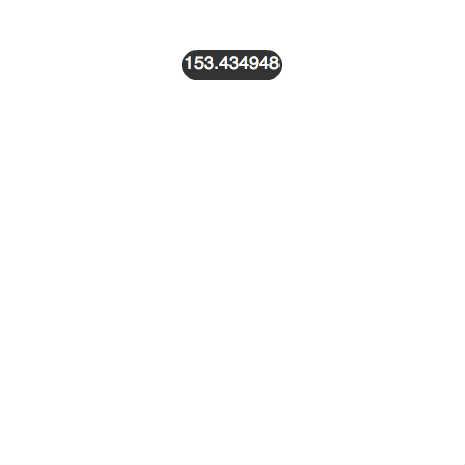

ActionScript3 source code
/**
 * Copyright Nowloading_ ( http://wonderfl.net/user/Nowloading_ )
 * MIT License ( http://www.opensource.org/licenses/mit-license.php )
 * Downloaded from: http://wonderfl.net/c/9QDc
 */

// forked from ton_'s ボタンとテキストの練習
// forked from 9re's マウスイベントを使ったボタン
package {
    import flash.display.Sprite;
    import flash.text.TextField;
    import flash.text.TextFormat;
    import flash.text.TextFormatAlign;
    import flash.events.MouseEvent;
    public class MouseClick extends Sprite {
        private var _button:MyButton;
        private var _text:TextField;
        private var _tf:TextFormat;

        public function MouseClick() {
            mkbutton();
            mktext();
        }
        public function mkbutton():void{
            // ボタンのインスタンスを生成
            _button = new MyButton();
            _button.addEventListener(MouseEvent.MOUSE_OVER, onMouseOver);
            _button.addEventListener(MouseEvent.MOUSE_OUT, onMouseOut);
            // 表示リストに追加
            addChild(_button);
            // ボタンの位置を設定
            _button.x = 182;
            _button.y = 50;
        }
        public function mktext():void{
            _tf = new TextFormat();
            _tf.font = "_sans";
            _tf.color = 0xffffff;
            _tf.align = TextFormatAlign.CENTER;
            _tf.size = 18;

            _text = new TextField();
            _text.defaultTextFormat = _tf;
            _text.text=String(Math.atan2(1,-2)*180/Math.PI);
            _button.addChild(_text);
        }


        private function onMouseOver(e:MouseEvent):void {
            _text.text="Text2";
            _button.over();
        }

        private function onMouseOut(e:MouseEvent):void {
            _text.text="Text3";
            _button.out();
        }
    }
}

import flash.display.Sprite;

class MyButton extends Sprite {
    private var _over:Sprite;

    public function MyButton () {
        // 描画色を#666666に設定
        graphics.beginFill(0x333333);
        // 角丸の長方形を描画
        graphics.drawRoundRect(0, 0, 100, 30, 30);
        graphics.endFill();

        // マウス・オーバー時に表示させるSpriteのインスタンスを生成
        _over = new Sprite();
        // 描画色を赤#ff0000に設定
        _over.graphics.beginFill(0xff0000);
        // 角丸の長方形を描画
        _over.graphics.drawRoundRect(0, 0, 100, 30, 30);
        _over.graphics.endFill();
        // 非表示に設定
        _over.visible = false;
        // 表示リストに追加
        addChild(_over);

        // マウス・カーソルを手のカーソルに変える
        buttonMode = true;
    }

    public function over():void {
        // マウス・オーバー時の画像を表示
        _over.visible = true;
    }

    public function out():void {
        // マウス・オーバー時の画像を非表示
        _over.visible = false;
    }
}