flash on 2011-9-13
flashx.textLayout.elements.examples
♥0 |
Line 56 |
Modified 2011-09-13 22:51:23 |
MIT License
archived:2017-03-20 03:03:24
ActionScript3 source code
/**
 * Copyright fujiopera ( http://wonderfl.net/user/fujiopera )
 * MIT License ( http://www.opensource.org/licenses/mit-license.php )
 * Downloaded from: http://wonderfl.net/c/7jsy
 */

package // flashx.textLayout.elements.examples
{
    import flash.display.Sprite;
    import flash.text.engine.FontPosture;

    import flashx.textLayout.container.ContainerController;
    import flashx.textLayout.elements.ParagraphElement;
    import flashx.textLayout.elements.SpanElement;
    import flashx.textLayout.elements.TextFlow;
    import flashx.textLayout.formats.TextLayoutFormat;

    public class ParagraphElementExample extends Sprite {

        // create the TextFlow object
        private var textFlow:TextFlow = new TextFlow();

        // Create Strings of text for the paragraphs
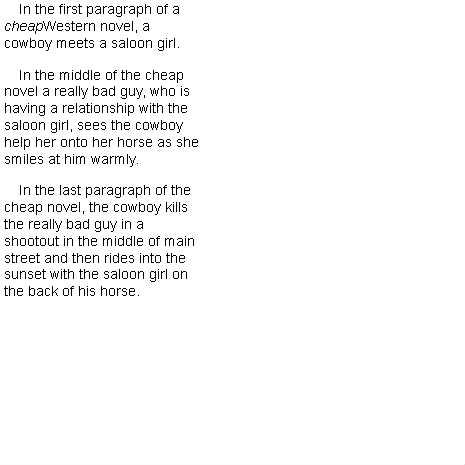
        private var para1String:String = "In the first paragraph of a "
        private var para1String2:String = "cheap"
        private var para1String3:String ="Western novel, a cowboy meets a saloon girl.";
        private var para2String:String = "In the middle of the cheap novel a really bad guy, "+
                        "who is having a relationship with the saloon girl, sees the cowboy help "+
                        "her onto her horse as she smiles at him warmly."
        private var para3String:String = "In the last paragraph of the cheap novel, the cowboy kills "+
                            "the really bad guy in a shootout in the middle of main street and "+
                            "then rides into the sunset with the saloon girl on the back of his horse.";

        public function ParagraphElementExample()
        {
            // create a TextLayoutFormat object to use in formatting the paragraphs
            var textLayoutFormat:TextLayoutFormat = new TextLayoutFormat();
            var paragraph1:ParagraphElement = new ParagraphElement();

            // create the ParagraphElement objects
            var paragraph2:ParagraphElement = new ParagraphElement();
            var paragraph3:ParagraphElement = new ParagraphElement();

            // create the SpanElement objects to hold the content of the paragraphs
            var p1Span1:SpanElement = new SpanElement();
            var p1Span2:SpanElement = new SpanElement();
            var p1Span3:SpanElement = new SpanElement();
            var p2Span:SpanElement = new SpanElement();
            var p3Span:SpanElement = new SpanElement();

            // assign the strings of text for the 1st paragraph to spans
            p1Span1.text = para1String;
            p1Span2.text = para1String2;
            p1Span2.fontStyle = FontPosture.ITALIC;  // italicize 'cheap'
            p1Span3.text = para1String3;

            // add spans to first paragraph
            paragraph1.addChild(p1Span1);
            paragraph1.addChild(p1Span2);
            paragraph1.addChild(p1Span3);

            // assign the string of text for the 2nd paragraph to a span
            // and add the span to the second paragraph
            p2Span.text = para2String;
            paragraph2.addChild(p2Span);

            // assign the string of text for the 3rd paragraph to a span
            // and add the span to the third paragraph
            p3Span.text = para3String;
            paragraph3.addChild(p3Span);

            // add the paragraphs to the TextFlow
            textFlow.addChild(paragraph1);
            textFlow.addChild(paragraph2);
            textFlow.addChild(paragraph3);

            // set the text formatting properties
            textLayoutFormat.fontSize = 14;
            textLayoutFormat.textIndent = 15;
            textLayoutFormat.paragraphSpaceAfter = 15;
            textLayoutFormat.paddingTop = 4;
            textLayoutFormat.paddingLeft = 4;

            // assign the format object to the TextFlow
            textFlow.hostFormat = textLayoutFormat;

            // assign a controller to the stage and update it to compose and
            // display the text
            textFlow.flowComposer.addController(new ContainerController(this, 200, 400));
            textFlow.flowComposer.updateAllControllers();
        }
    }
}