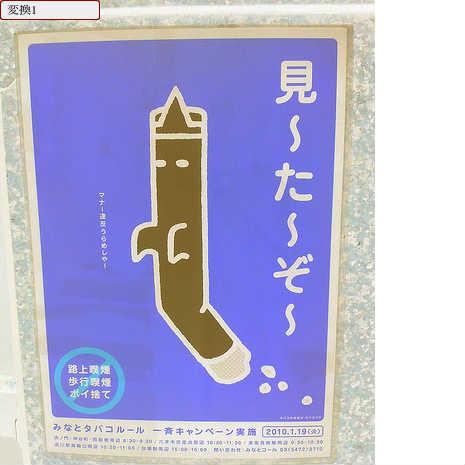
ColorTransform( with other site's image data)
♥0 |
Line 60 |
Modified 2010-03-05 03:37:49 |
MIT License
archived:2017-03-20 15:23:00
ActionScript3 source code
/**
 * Copyright 883108 ( http://wonderfl.net/user/883108 )
 * MIT License ( http://www.opensource.org/licenses/mit-license.php )
 * Downloaded from: http://wonderfl.net/c/60xQ
 */

package{
	import flash.display.*;
	import flash.net.*;
	import flash.system.*;
	import flash.events.*;
	import flash.geom.*;
	import flash.text.*;

	public class ColorTransformDocument extends Sprite{
		private var _url:String = '';
		private var _loader:Loader;

		public function ColorTransformDocument(){
			init();
		}

		private function init():void{
			var tex:TextField = new TextField  ;
			addChild(tex);
			tex.width = 450;
			tex.height = 400;
			tex.x = tex.y = 10;
			tex.multiline = true;
			tex.text =
				'読み込んだ外部画像をビットマップとして扱い、\n' +
				'flash.geom.ColorTransformで色の変換を行います。\n\n\n\n\n\n\n\n' +
				'画像の読み込み中です....';
			// 画像のロード
			//var image_url:String = 'http://farm4.static.flickr.com/3190/2662752839_249c6642b1.jpg';
			var image_url:String = 'http://farm5.static.flickr.com/4004/4406799106_b9231cfcf5.jpg';
			/* -----------------------------------------------------------------------------
				本来、外部ドメインからロードしたメディアに対して、ピクセルデータやオーディオデータに直接アクセスすることは許可されない。
				ただし、flickrのように、画像が置いてあるドメインのcrossdomain.xmlで、アクセスが許可されている場合は、
				データとしてアクセスできる。この場合は、LoaderContext の checkPolicyFile を true にしてインスタンス化し、
				loader.loadのオプションとして指定しておけば良い。
				詳細はてっく煮ブログのこちらのエントリーを参照
				-> http://d.hatena.ne.jp/nitoyon/20071112/crossdomain_img
			----------------------------------------------------------------------------- */
			var context:LoaderContext = new LoaderContext(true);
			_loader = new Loader();
			_loader.contentLoaderInfo.addEventListener(Event.COMPLETE, completeHandler);
			_loader.load(new URLRequest(image_url), context);
		}

		private function completeHandler($event:Event):void{
			// 読み込んだ画像のバイナリデータにアクセスしてデータを取り出し、
			// Bitmapデータインスタンスを生成します。
			var bitmapData:BitmapData = Bitmap(_loader.content).bitmapData;
			var bitMap:Bitmap = new Bitmap(bitmapData);
			addChild(bitMap);
			// 色変換のトリガになるボタンを作成します。
			addChild(create_button('変換1', clickHandle1));
			// ColorTransformを適用します。
			function clickHandle1($event:MouseEvent):void{
				bitMap.transform.colorTransform = new ColorTransform(-1, -1, -1, 1, 0xff, 0xff, 0xff, 0);
			}
		}

		private function create_button($label:String, $clickHandler:Function):Sprite{
			// ボタンを生成します。
			var button:Sprite = new Sprite;
			addChild(button);
			button.graphics.beginFill(0x880000);
			button.graphics.drawRoundRect(0, 0, 100, 20, 5);
			button.graphics.beginFill(0xeeeeee);
			button.graphics.drawRoundRect(1, 1, 98, 18, 5);
			button.buttonMode = true;
			button.addEventListener(MouseEvent.CLICK, $clickHandler);
			// ボタンのラベルを生成します。
			var label:TextField = new TextField();
			button.addChild(label);
			label.x = 5;
			label.y = 3;
			label.text = $label;
			label.width = 100;
			label.height = 16;
			label.selectable = false;
			//
			return button;
		}
	}
}