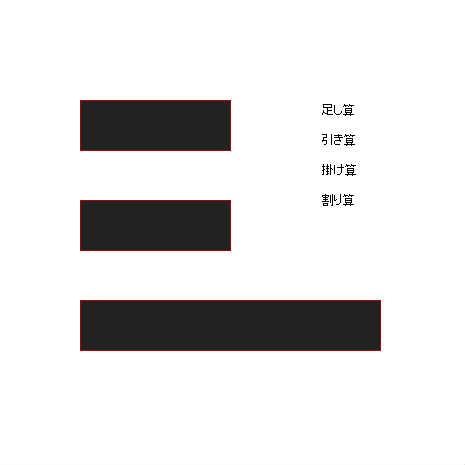
簡単な計算機
♥0 |
Line 113 |
Modified 2009-12-20 01:00:58 |
MIT License
archived:2017-03-10 11:39:25
ActionScript3 source code
/**
 * Copyright happier_eka ( http://wonderfl.net/user/happier_eka )
 * MIT License ( http://www.opensource.org/licenses/mit-license.php )
 * Downloaded from: http://wonderfl.net/c/52hu
 */

package {
    import flash.display.*;
    import flash.text.*;
    import flash.events.*;
    import fl.controls.Button;

    public class FlashTest extends Sprite {
    		private var tf1:TextField;
    		private var tf2:TextField;
    		private var rst:TextField;
    		private var b1:Button;
    		private var b2:Button;
    		private var b3:Button;
    		private var b4:Button;

        public function FlashTest() {

            tf1 = new TextField();
            tf1.width = 150;
            tf1.height = 50;
            tf1.x = 80;
            tf1.y = 100;
            tf1.type = TextFieldType.INPUT;    // 入力可能
            tf1.multiline = false;  // 複数行可能
            tf1.background = true;            // 背景の塗りがあるか?
            tf1.backgroundColor = 0x222222;        // 背景の色
            tf1.border = true;                // 境界線があるか?
            tf1.borderColor =0xAA0000;            // 境界線の色
            tf1.textColor = 0x2288AA;        // テキストの色
            tf1.wordWrap = false;        // 折り返すか?
            var format:TextFormat = new TextFormat();
            format.size = 50; // 文字サイズ...30px
            format.font = "Arial"; // 文字フォント...Arial
            format.bold = true; // 強調(デフォルトfalse)
            tf1.defaultTextFormat = format;
            tf1.type = TextFieldType.INPUT;
            addChild(tf1);

            tf2 = new TextField();
            tf2.width = 150;
            tf2.height = 50;
            tf2.x = 80;
            tf2.y = 200;
            tf2.multiline = false;  // 複数行可能
            tf2.background = true;            // 背景の塗りがあるか?
            tf2.backgroundColor = 0x222222;        // 背景の色
            tf2.border = true;                // 境界線があるか?
            tf2.borderColor =0xAA0000;           // 境界線の色
            tf2.textColor = 0x2288AA;        // テキストの色
            tf2.wordWrap = false;        // 折り返すか?
            tf2.defaultTextFormat = format;
            tf2.type = TextFieldType.INPUT;
            addChild(tf2);

			rst = new TextField();
			rst.width = 300;
			rst.height = 50;
			rst.x = 80;
            rst.y = 300;
            rst.multiline = false;  // 複数行可能
            rst.background = true;            // 背景の塗りがあるか?
            rst.backgroundColor = 0x222222;        // 背景の色
            rst.border = true;                // 境界線があるか?
            rst.borderColor =0xAA0000;            // 境界線の色
            rst.textColor = 0x2288AA;        // テキストの色
            rst.wordWrap = false;        // 折り返すか?
            rst.defaultTextFormat = format;
            addChild(rst);

            b1 = new Button();
            b2 = new Button();
            b3 = new Button();
            b4 = new Button();

            b1.width = 80;
            b2.width = 80;
            b3.width = 80;
            b4.width = 80;

			b1.move(320,100);
            b2.move(320,130);
            b3.move(320,160);
            b4.move(320,190);

            b1.setStyle("icon", Icon);
            b2.setStyle("icon", Icon);
            b3.setStyle("icon", Icon);
            b4.setStyle("icon", Icon);

            b1.label = "足し算";
            b2.label = "引き算";
            b3.label = "掛け算";
            b4.label = "割り算";

           b1.addEventListener(MouseEvent.CLICK, plusClick);
           b2.addEventListener(MouseEvent.CLICK, minusClick);
           b3.addEventListener(MouseEvent.CLICK, multiClick);
           b4.addEventListener(MouseEvent.CLICK, divideClick);

            addChild(b1);
            addChild(b2);
            addChild(b3);
            addChild(b4);
        }

        private function plusClick(event:Event):void{
        		rst.text = String(Number(tf1.text)+Number(tf2.text));
        }
        private function minusClick(event:Event):void{
        		rst.text = String(Number(tf1.text)-Number(tf2.text));
        }
        private function multiClick(event:Event):void{
        		rst.text = String(Number(tf1.text)*Number(tf2.text));
        }
        private function divideClick(event:Event):void{
        		rst.text = String(Number(tf1.text)/Number(tf2.text));
        }

    }
}

import flash.display.Sprite;

class Icon extends Sprite {
	public function Icon() {
        	this.graphics.beginFill(0xFF6666);
        	this.graphics.endFill();
	}
}