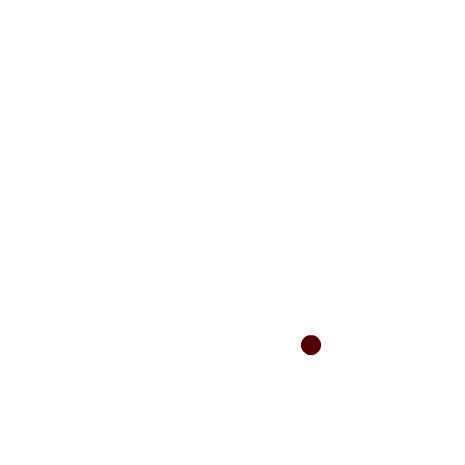
Gravity Module
Press mouse button to generate real (random) gravity.
This script is to better understand how you can apply techniques/codes to generate real looking gravity on objects.
♥0 |
Line 71 |
Modified 2010-08-04 05:38:53 |
MIT License
archived:2017-03-20 01:59:20
ActionScript3 source code
/**
 * Copyright jamasian ( http://wonderfl.net/user/jamasian )
 * MIT License ( http://www.opensource.org/licenses/mit-license.php )
 * Downloaded from: http://wonderfl.net/c/4hFa
 */

package {

    import flash.display.* ;
    import flash.events.* ;

    public class WallBounce extends Sprite {

        private var _ball:Sprite;

        private var _xvel:Number;
        private var _yvel:Number;
        private var _xpos:Number;
        private var _ypos:Number;
        private var _grav:Number;

        private var _left:Number;
        private var _right:Number;
        private var _bottom:Number;
        private var _top:Number;

        public function WallBounce() {

            stage.align = StageAlign.TOP_LEFT;

            _grav = 1;
            _ball = Ball();

            setupGravity();

            _left = 0;
            _top = 0;
            _right = stage.stageWidth-220;
            _bottom = stage.stageHeight - 220;
            addChild(_ball);

            addEventListener(Event.ENTER_FRAME, onLoop, false, 0, true);
            stage.addEventListener(MouseEvent.MOUSE_DOWN, onDown, false, 0, true);
        }

        private function Ball():Sprite
        {
            var ball:Sprite = new Sprite();
            ball.graphics.beginFill(0x550000);
            ball.graphics.drawCircle(100, 100, 10);
            return ball;
        }
        private function onDown(evt:MouseEvent):void {
            setupGravity();
        }

        private function setupGravity():void {
            _xvel  = Math.random() * 20 - 10;
            _yvel =  -(Math.random() * 20)
            _ball.x = 200;
            _ball.y = stage.stageHeight /2;
            _xpos = _ball.x;
            _ypos = _ball.y;
        }

        private function onLoop(evt:Event):void {
            _yvel += _grav;

            _xpos += _xvel;
            _ypos += _yvel;

            if (_ypos>_bottom) {
                _xvel *= .5;
                _yvel *=  -.5;
                _ypos = _bottom;
            }
            if (_ypos<_top) {
                _yvel *=  -1;
                _ypos = _top;
            }
            if (_xpos<_left) {
                _xvel *=  -1;
                _xpos = _left;
            }
            if (_xpos>_right) {
                _xvel *=  -1;
                _xpos = _right;
            }

            _ball.x = _xpos;
            _ball.y = _ypos;
        }
    }
}