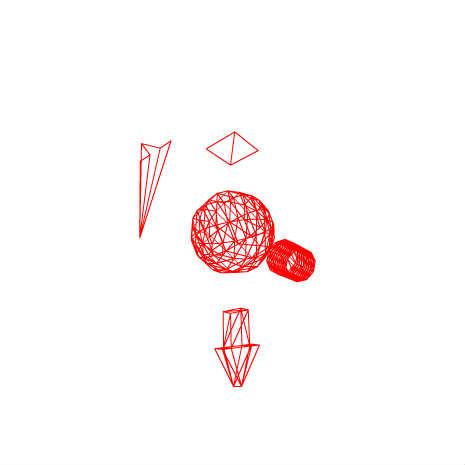
【PV3D】study1
...wonderfl本 2-10の途中
@author rettuce
♥0 |
Line 67 |
Modified 2010-06-05 06:02:55 |
MIT License
archived:2017-03-20 02:02:44
ActionScript3 source code
/**
 * Copyright rettuce ( http://wonderfl.net/user/rettuce )
 * MIT License ( http://www.opensource.org/licenses/mit-license.php )
 * Downloaded from: http://wonderfl.net/c/4Htv
 */

package
{
	import flash.events.Event;
	import org.papervision3d.materials.*;
	import org.papervision3d.objects.primitives.*;
	import org.papervision3d.view.*;
	import flash.display.Stage;

	[SWF(width = 465, height = 465, backgroundColor = 0x000000, frameRate = 30)]
	/**
	 * ...wonderfl本 2-10の途中
	 * @author rettuce
	 */
	public class Main extends BasicView
	{
		private var sphere:Sphere;
		private var plane:Plane;
		private var cylinder:Cylinder;
		private var paperPlane:PaperPlane;
		private var arrow:Arrow;

		public function Main()
		{
			if (stage) init();
			else addEventListener(Event.ADDED_TO_STAGE, init);
		}

		private function init(e:Event = null):void
		{
			removeEventListener(Event.ADDED_TO_STAGE, init);
			main();
		}

		private function main():void
		{
			// マテリアル作成
			var material:WireframeMaterial = new WireframeMaterial(0xFF0000);

			// 3Dオブジェクト作成
			sphere = new Sphere( material, 200, 10, 10 );
			plane = new Plane( material, 200, 200, 1, 1 );
			cylinder = new Cylinder( material, 100, 200, 10, 10, 100 );
			paperPlane = new PaperPlane(material, 2);
			arrow = new Arrow(material);

			sphere.material.doubleSided = true;
			plane.y = 500;
			cylinder.x = 500;
			paperPlane.x = -500;
			arrow.y = -500;
			arrow.scale = 0.5

			//3Dシーンに追加して表示
			scene.addChild(sphere);
			scene.addChild(plane);
			scene.addChild(cylinder);
			scene.addChild(paperPlane);
			scene.addChild(arrow);

			// レンダリング開始
			startRendering();

			// EnterFrameを設定
			addEventListener(Event.ENTER_FRAME, enterFrameAction);

		}

		private function enterFrameAction(e:Event):void {
			plane.rotationX += 1;
			plane.rotationY += 1;
			cylinder.rotationX += 1;
			cylinder.rotationY += 1;
			sphere.rotationX += 1;
			sphere.rotationZ += 1;
			paperPlane.rotationY += 1;
			paperPlane.rotationX += 1;
			arrow.rotationX += 1;
			arrow.rotationY += 1;

			// カメラアングル
			var rateX:Number = mouseX / stage.stageWidth;
			var targetX:Number = -5000 * (rateX - 0.5);
			camera.x += (targetX - camera.x )*0.2;

			var rateY:Number = mouseY / stage.stageHeight;
			var targetY:Number = -5000 * (rateY - 0.5);
			camera.y += (targetY - camera.y ) * 0.2;
		}

	}
}