ButtonTest01: はじめてのボタン作成
forked from FlashTest (diff: 51)
参考サイト
↓ん・ぱか工房 ActionScripts 3.0メモ シンプルボタンの利用
http://www.saturn.dti.ne.jp/~npaka/flash/as30/SimpleButton/index.html
↓AS3でSimpleButtonを使ってみる
http://d.hatena.ne.jp/akio0911/20081012/p3
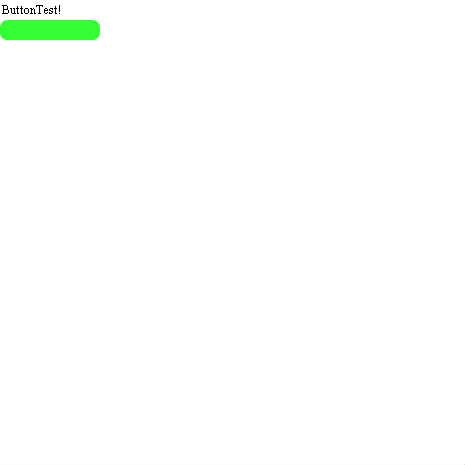

ActionScript3 source code
/**
 * Copyright siouxcitizen ( http://wonderfl.net/user/siouxcitizen )
 * MIT License ( http://www.opensource.org/licenses/mit-license.php )
 * Downloaded from: http://wonderfl.net/c/3OCf
 */

// forked from hacker_7daxapax's FlashTest
//参考サイト
//↓ん・ぱか工房 ActionScripts 3.0メモ シンプルボタンの利用
//http://www.saturn.dti.ne.jp/~npaka/flash/as30/SimpleButton/index.html
//↓AS3でSimpleButtonを使ってみる
//http://d.hatena.ne.jp/akio0911/20081012/p3

package {
    import flash.display.*;
    import flash.events.*;
    import flash.text.*;

    public class ButtonTest extends Sprite {

        private var button : SimpleButton;//ボタン
        private var label : TextField;    //ラベル

        public function ButtonTest() {
            label = new TextField;
            label.text = "ButtonTest!";
            addChild(label);

            button = new SimpleButton();
            button.y = 20;
            button.upState = makeRoundRect(0x00FF00);
            button.overState = makeRoundRect(0x0000FF);
            button.downState = makeRoundRect(0xFF0000);
            button.hitTestState = button.upState;

            button.addEventListener(MouseEvent.MOUSE_DOWN,onMouseDown);
            button.addEventListener(MouseEvent.MOUSE_UP,onMouseUp);
            addChild(button);
        }

        //ボタン用グラフィック作成
        private function makeRoundRect(color:uint):Sprite{
            var s:Sprite = new Sprite();
            s.graphics.beginFill(color);
            s.graphics.drawRoundRect(0, 0, 100, 20, 15);
            s.graphics.endFill();
            s.alpha = 0.8;
            return s;
        }

        //マウスダウンイベントの処理
        private function onMouseDown(evt:MouseEvent):void {
            label.text = "Mouse Down";
        }

        //マウスアップイベントの処理
        private function onMouseUp(evt:MouseEvent):void {
            label.text = "Mouse Up";
        }
    }
}