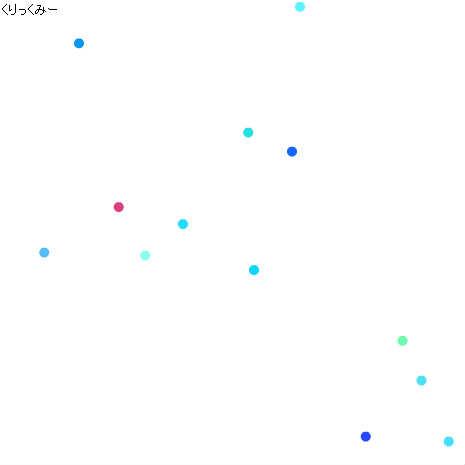
クリックイベントのテスト
マウスのイベントを取得するコードの勉強です。Spriteを使ってボールの描画。addEventListenerを使ってクリックイベントの登録をしています。
♥0 |
Line 57 |
Modified 2011-06-17 19:50:41 |
MIT License
archived:2017-03-20 06:54:22
ActionScript3 source code
/**
 * Copyright irgaly ( http://wonderfl.net/user/irgaly )
 * MIT License ( http://www.opensource.org/licenses/mit-license.php )
 * Downloaded from: http://wonderfl.net/c/2AlG
 */

package {
    import flash.text.TextField;
    import flash.text.TextFieldAutoSize;
    import flash.events.MouseEvent;
    import flash.display.Sprite;
    import flash.events.Event;
    public class EventTest extends Sprite {
        public function EventTest() {
            // テキストの表示
            var text:TextField = new TextField();
            text.autoSize = TextFieldAutoSize.LEFT;
            text.text = "くりっくみー";
            addChild(text);

            // とりあえずボールを作成してみる
            var ball:Ball = new Ball(0, 0);
            addChild(ball);

            // クリックイベントの登録
            stage.addEventListener(MouseEvent.CLICK, onClick);

            // メインループの登録
            stage.addEventListener(Event.ENTER_FRAME, loop);
        }

        private function loop(e:Event):void {
        }

        private function onClick(e:MouseEvent):void {
            addChild(new Ball(e.stageX, e.stageY));
        }
    }
}

import flash.display.Sprite;
import flash.events.Event;
class Ball extends Sprite {
    private var _vx:Number;
    private var _vy:Number;
    public function Ball(x:Number, y:Number, vx:Number=undefined, vy:Number=undefined){
        this.x = x;
        this.y = y;
        _vx = vx;
        _vy = vy;

        _vx ||= 10 * (2 * (Math.random() - 0.5));
        _vy ||= 10 * (2 * (Math.random() - 0.5));

        // 円の描画
        graphics.beginFill(
              Math.random() * 0xFF0000
            | Math.random() * 0x00FF00
            | Math.random() * 0x0000FF);
        graphics.drawEllipse(0, 0, 10, 10);
        graphics.endFill();

        // フレームイベントの登録
        addEventListener(Event.ENTER_FRAME, update);
    }

    private function update(e:Event):void{
        x += _vx;
        y += _vy;

        if (x < 0 || stage.stageWidth < x){
            _vx = -_vx;
            x += _vx;
        }
        if (y < 0 || stage.stageHeight < y){
            _vy = -_vy;
            y += _vy;
        }
    }
}