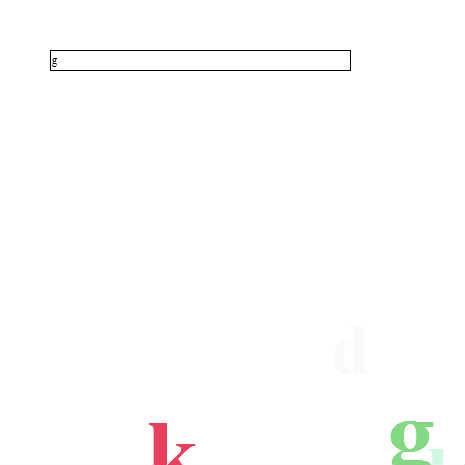
テキストフィールドに入力された値をランダムに20個まで表示する。
♥0 |
Line 58 |
Modified 2010-05-25 02:29:23 |
MIT License
archived:2017-03-10 06:34:39
ActionScript3 source code
/**
 * Copyright simultechnology ( http://wonderfl.net/user/simultechnology )
 * MIT License ( http://www.opensource.org/licenses/mit-license.php )
 * Downloaded from: http://wonderfl.net/c/1dEI
 */

package
{
	import flash.display.Sprite;
	import flash.events.Event;
	import flash.events.TextEvent;
	import flash.text.TextField;
	import flash.text.TextFieldAutoSize;
	import flash.text.TextFieldType;
	import flash.text.TextFormat;
	import flash.text.engine.TextElement;

	[SWF(backgroundColor="0x000000")]
	public class InputConverter extends Sprite
	{
		private var _t:TextField;

		public function InputConverter()
		{
			_t = new TextField();
			_t.y = 50;
			_t.x = 50;
			_t.width = 300;
			_t.height = 20;
			_t.border = true;
			_t.background = true;
			_t.type = TextFieldType.INPUT;
			addChild(_t);

			_t.addEventListener(TextEvent.TEXT_INPUT, textInputListener);
		}

		private function textInputListener(e:TextEvent):void
		{
			var tm:TextFormat = new TextFormat();
			tm.color = Math.random() * 0xFFFFFF;
			tm.bold = true;
			tm.size = 100;
			// 文字列の作成
			var tf:TextField = new TextField();
			tf.autoSize = TextFieldAutoSize.LEFT;
			tf.defaultTextFormat = tm;
			tf.width = 300;
			tf.text = e.text;
			_t.text = "";
			tf.x = Math.random() * 465;
			tf.y = Math.random() * 465;
			addChild(tf);
			tf.addEventListener(Event.ENTER_FRAME, function(e:Event):void {
				TextField(e.target).alpha -= 0.03;
				TextField(e.target).scaleX -= 0.01;
				TextField(e.target).scaleY -= 0.01;
				if (TextField(e.target).alpha < 0) {
					removeEventListener(Event.ENTER_FRAME, arguments.callee);
					tf = null;
					if (numChildren > 20) {
						removeChildAt(numChildren - 20);
					}
					trace(numChildren);
				}
			});
		}
	}
}