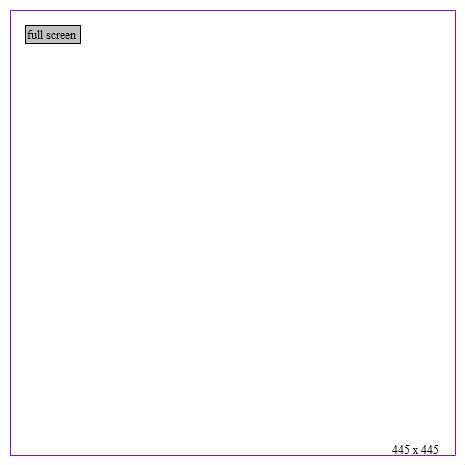
Chapter 14 Example 4
BE SURE TO HIT WONDERFL'S "FULL SCREEN" AT THE RIGHT
TO SEE THIS WORK
(OR VISIT http://wonderfl.net/code/07f62b12fa61353544c5ed946e998369c4f03ac7/fullscreen)
♥0 |
Line 54 |
Modified 2009-11-05 19:06:57 |
MIT License
archived:2017-03-09 12:48:48
ActionScript3 source code
/**
 * Copyright actionscriptbible ( http://wonderfl.net/user/actionscriptbible )
 * MIT License ( http://www.opensource.org/licenses/mit-license.php )
 * Downloaded from: http://wonderfl.net/c/18qK
 */

//BE SURE TO HIT WONDERFL'S "FULL SCREEN" AT THE RIGHT
//TO SEE THIS WORK
//(OR VISIT http://wonderfl.net/code/07f62b12fa61353544c5ed946e998369c4f03ac7/fullscreen)
package {
  import flash.display.*;
  import flash.events.Event;
  import flash.events.MouseEvent;
  import flash.geom.Rectangle;
  import flash.text.TextField;

  public class ch14ex4 extends Sprite {
    protected const KEEP_LAST_N:int = 15;
    protected var fullScreenButton:TextField;
    public function ch14ex4() {
      stage.scaleMode = StageScaleMode.NO_SCALE;
      stage.align = StageAlign.TOP_LEFT;

      fullScreenButton = new TextField();
      fullScreenButton.text = "full screen";
      fullScreenButton.selectable = false;
      fullScreenButton.background = true;
      fullScreenButton.backgroundColor = 0xc0c0c0;
      fullScreenButton.border = true;
      fullScreenButton.borderColor = 0;
      fullScreenButton.width = 55;
      fullScreenButton.height = 18;
      fullScreenButton.x = fullScreenButton.y = 25;
      addChild(fullScreenButton);
      fullScreenButton.addEventListener(MouseEvent.CLICK, onFullScreenClick);

      stage.addEventListener(Event.RESIZE, onStageResize);
      onStageResize(null);
    }
    protected function onStageResize(event:Event):void {
      var stageSize:Rectangle =
        new Rectangle(0, 0, stage.stageWidth, stage.stageHeight);
      //create a margin so you can see the indicator
      stageSize.inflate(-10, -10);

      //add an indicator for the screen size
      var stageSizeIndicator:Sprite = new Sprite();
      stageSizeIndicator.graphics.lineStyle(0, Math.random() * 0xffffff);
      stageSizeIndicator.graphics.drawRect(
        stageSize.x, stageSize.y, stageSize.width, stageSize.height);
      var label:TextField = new TextField();
      label.x = stageSize.right - 65;
      label.y = stageSize.bottom - 15;
      label.text = stageSize.width + " x " + stageSize.height;
      stageSizeIndicator.addChild(label);
      addChildAt(stageSizeIndicator, 0);

      if (numChildren > KEEP_LAST_N) {
        removeChildAt(numChildren - 2); //numChildren - 1 is the button.
      }
    }
    protected function onFullScreenClick(event:MouseEvent):void {
      if (stage.displayState == StageDisplayState.NORMAL) {
        stage.displayState = StageDisplayState.FULL_SCREEN;
      } else {
        stage.displayState = StageDisplayState.NORMAL;
      }
    }
  }
}